
What Are The Differences Between All These Audio Formats? Here’s All You Need To Know
It's not just MP3.


 Cover image via trickntrick
Digital audio has been around for a long time – we listen to music through many of our electronic devices like handphones, computers and tablets. But do you actually know what format of music that you've been listening to? Or what differentiates them?

Image via Giphy
Yes, it can be pretty confusing but it's pretty simple once you've understood it all. In this week's Tech Tuesday, we give you a quick lowdown on the different types of digital formats and files out there.
Image via Lifehacker
Lossless Music: These are files that reproduce exactly what is on a CD, with no loss in quality


Image via Hothardware
Lossless files include **WAV, AIFF, FLAC and Apple Lossless**.
WAV (Waveform Audio File Format): Created by Microsoft and IBM as an audio file container format, WAV also works on other OS like Macintosh
AIFF (Audio Interchange File Format): Pretty much similar to WAV, AIFF was developed by Apple, so you'll see them more on Apple computers
Both WAV and AIFF are uncompressed formats, which means they are exact copies of the original source audio. The two formats are essentially the same quality; they just store the data a bit differently.
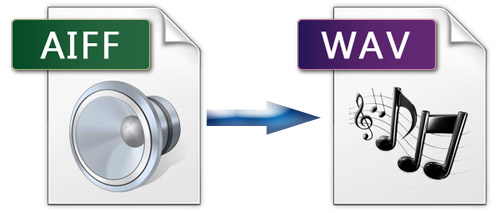
Image via anymp4
FLAC (Free Lossless Audio Codec): Unlike WAV and AIFF, FLAC is compressed. However, it still doesn't lose quality, making it one of the more popular lossless formats out there
Apple lossless: Also known as ALAC, Apple lossless shares similarities with FLAC
ALAC is a compressed lossless file, although it's made by Apple. Its compression isn't quite as efficient as FLAC, so your files may be a bit bigger, but it's fully supported by iTunes and iOS (while FLAC is not). Thus, you'd want to use this if you use iTunes and iOS as your primary music listening software.
Lossy Music: Completely opposite from lossless music, lossy music involves compression of the original audio file
Lossy files include: **MP3, AAC and WMA**.
MP3 (MPEG Audio Layer III): One of the most common lossy files out there, so common that it's synonymous with downloaded music
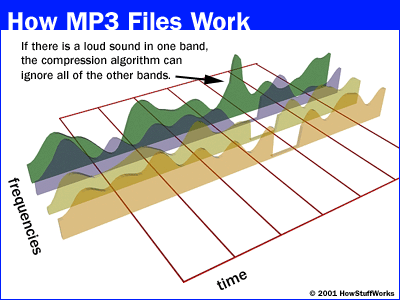
Image via howstuffworks
AAC (Advanced Audio Coding): Similar with MP3, but smaller in size
WMA (Windows Media Audio): Developed by Microsoft, WMA is an audio extension used with Windows Media Player
Now that you've understood the difference between each format, which should you use?

Image via Giphy
**Lossy Music** – We highly recommend using MP3 and AAC, because they are compatible with nearly every player out there. Aside from that, the small in size means you'll be able to store my music in your devices. On average, an MP3 album is around 100MB in size.
**Lossless Music** – However, if you're picky about sound quality and wants to get the best out of your music, you could consider FLAC or WAV. Do note that lossless music files are much bigger in size, compared to lossy music files. One FLAC album could go up to 300MB in storage.

Read more trending stories on SAYS

26-Year-Old Influencer Builds A Real-Life Flying Hoverboard
The influencer from China has gone viral for building and flying his own manned hoverboard over the Yangtze River.