


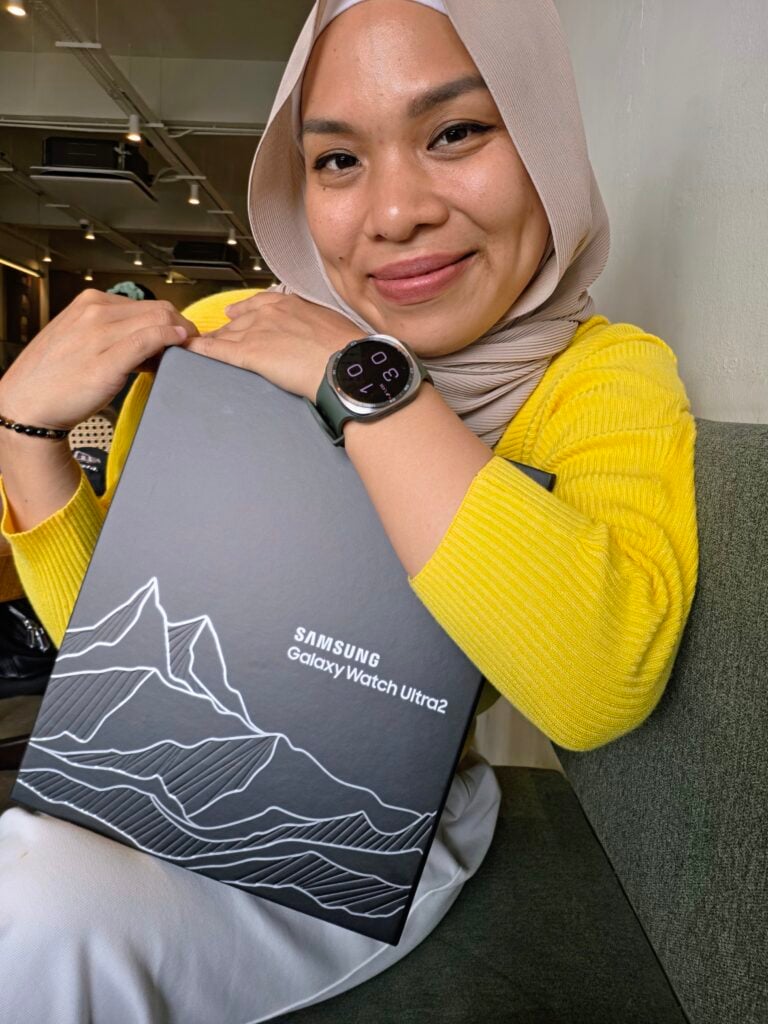
 Cover image via Laila/SAYS
Follow us on Instagram, TikTok, and WhatsApp for the latest stories and breaking news.
The Samsung Galaxy Watch Ultra2 smartwatch is packed with advanced health tracking, rugged durability, and enough smart features to make your phone stay in your pocket a little longer
Between its massive new 5,000-nit display, upgraded Snapdragon Wear Elite Platform, and a hefty 800 mAh battery, Samsung clearly built this to compete with high-end sports smartwatches.
I've been wearing the Galaxy Watch Ultra2 every day (and almost every night) for over a week.
While I haven't taken it diving or trail running through the wilderness, I have used it exactly how most people probably will. That includes during workouts, at work, while commuting, and throughout my daily routine.
Using the device every single day reveals details that spec sheets won't tell you. Here's my honest review after real-world use.
One of my favourite features is that Google Gemini is built right into the watch
There was one time I was driving with my phone buried somewhere in my handbag. I wasn't sure if I was on the right road, so I simply asked Gemini on my watch if I was heading in the correct direction and how much longer it would take to reach my destination. It answered immediately.
After that, I asked it to play music on Spotify, and it pulled up one of my playlists and started playback without me having to touch my phone. It's hands-free convenience I never even knew I wanted.
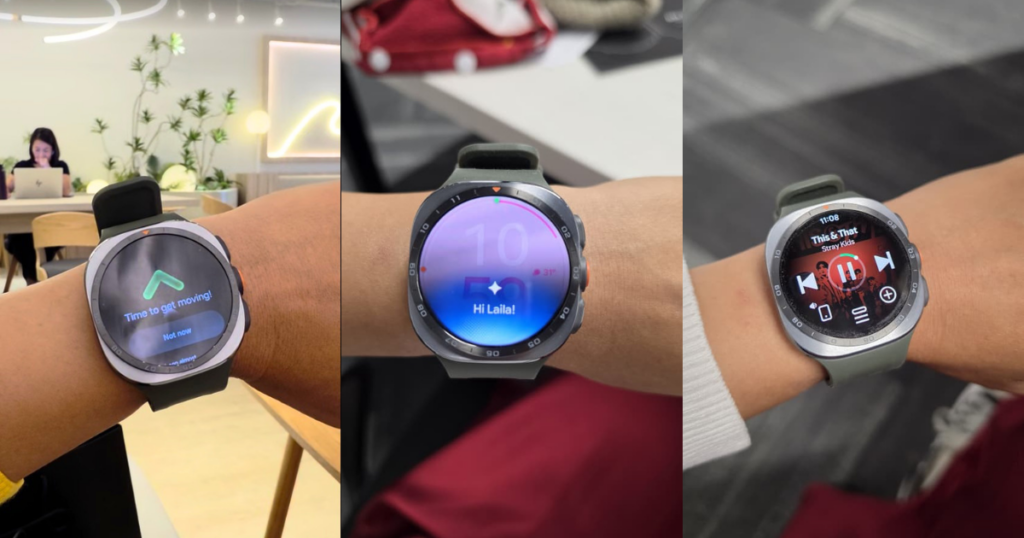
From reminders to stay active, to answering quick queries and playing Spotify, the Ultra2 is a handy companion (pun intended).
Image via Laila/SAYSGemini is also great for quick everyday questions. Whether it's checking what time a restaurant closes, getting a quick fact or setting a reminder, having an AI assistant on your wrist is genuinely useful.
There have been times when I've used Gemini to capture ideas, scripts, and random thoughts before they disappear. I simply dictate my thoughts out loud and ask Gemini to save them into my notes, which I can then access from my phone or any other connected devices.
It's great for those sudden bursts of inspiration when you're unable to reach for your phone or notebook, or when your thoughts are coming faster than you can type. Sometimes, speaking an idea out loud is just much easier than trying to stop and write everything down before the moment passes.
Likewise with getting Gemini to add events and reminders to my calendar just by using the speak feature. Super handy when your hands are full.
My favourite thing about the Galaxy Watch Ultra2 is its ability to handle day-to-day tasks without needing to pull out my phone
I can make calls and send messages directly from the watch without having to take out my phone. Pair it with a pair of wireless earbuds, and you look like a crazy person talking to yourself in public. But it's efficient and I like it.
That convenience really came in handy during the Spider-Man: Brand New Day media screening. As part of the anti-piracy measures, everyone's phones were sealed inside security pouches before the movie began. Even then, I was still able to reply to messages from my watch, albeit using a tiny on-screen keyboard. If I needed to make a call, that wouldn't have been a problem either.
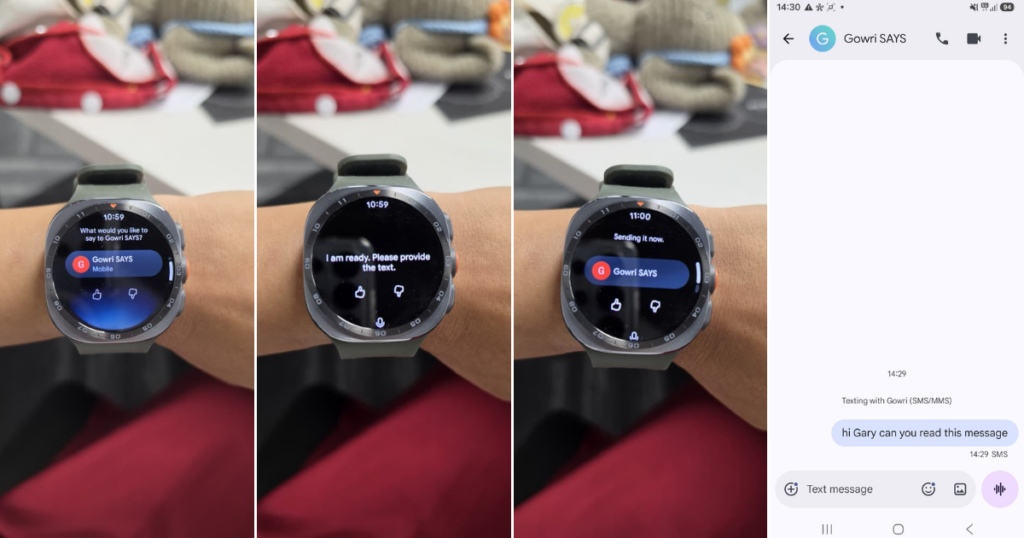
It's speech to text function isn't too great though.
Image via Laila/SAYSMaking contactless payments with Samsung Pay is equally effortless. Just raise your wrist, tap, and you're done.
If you're concerned about security, Samsung has thought of that too. The watch requires you to set a passcode, and it automatically locks every time you take it off.
Once you put it back on, you'll need to enter your passcode before it unlocks, helping to keep your payment information and personal data secure.
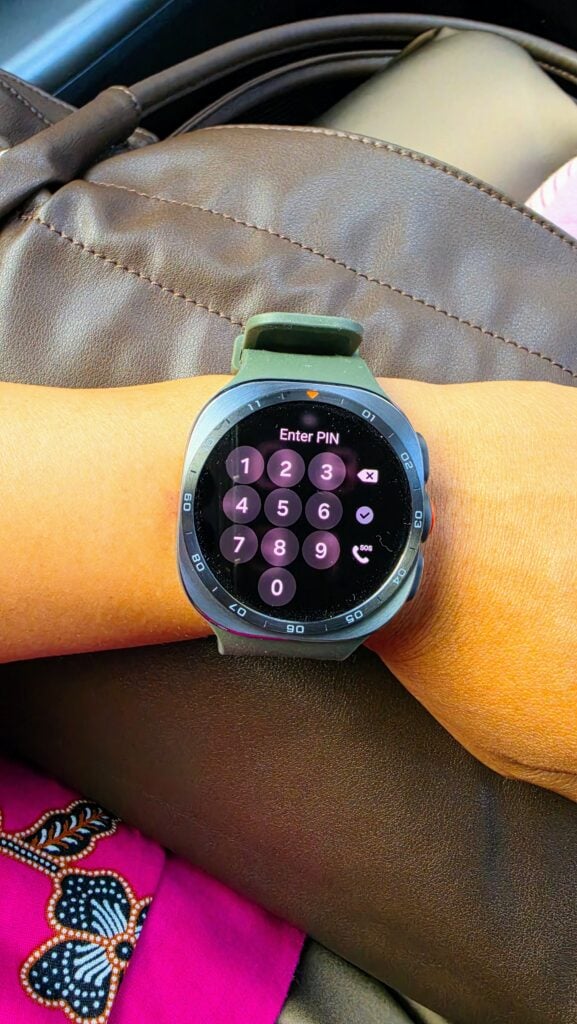
The Ultra2 automatically locks when you take it off as a security measure.
Image via Laila/SAYSSamsung packed the Ultra2 with heavy-duty tracking features, including specialised trail running metrics, hydration guidance via Nutrition Alerts, and diving support
For indoor and everyday training, the Galaxy Watch Ultra2 covers almost everything.
As someone who exercises on a walking pad and follows circuit training classes, fitness tracking was one of the features I was most interested in testing. The Ultra2 had no trouble recognising my walking workouts, accurately recording my heart rate, calories burned, and overall workout duration.
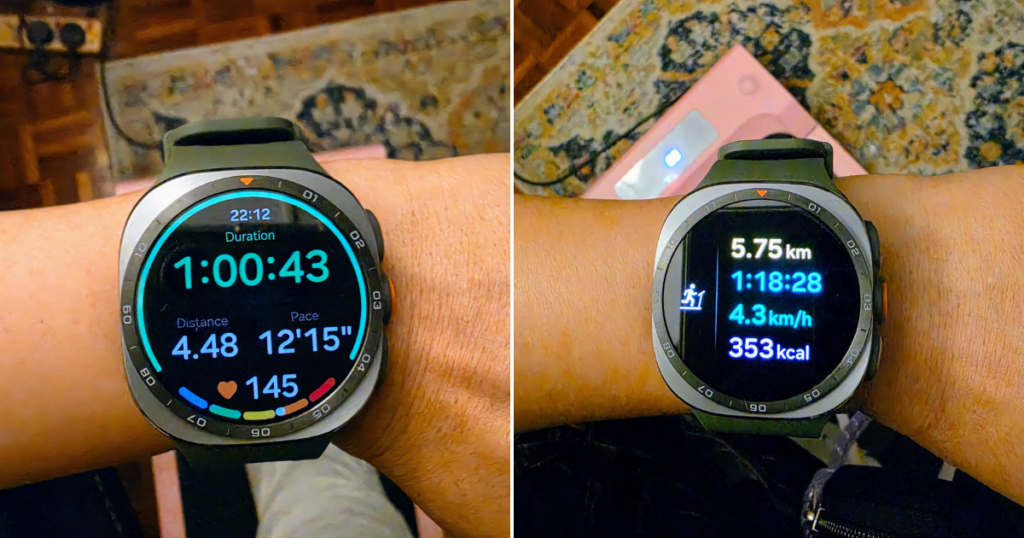
No problem with recording treadmill workouts.
Image via Laila/SAYSDuring circuit sessions, it also did a great job monitoring my effort levels and recovery.
Samsung's 5,000-nit display is another standout feature. Whether I was indoors or exercising near bright windows, I could easily glance down and check my stats without struggling to read the screen.
However, there was one issue that cropped up more than once.
Circuit workouts often include pauses where the instructor explains the next set of exercise before everyone starts moving again. A few times, the watch interpreted these pauses as the end of my workout and stopped recording halfway through.
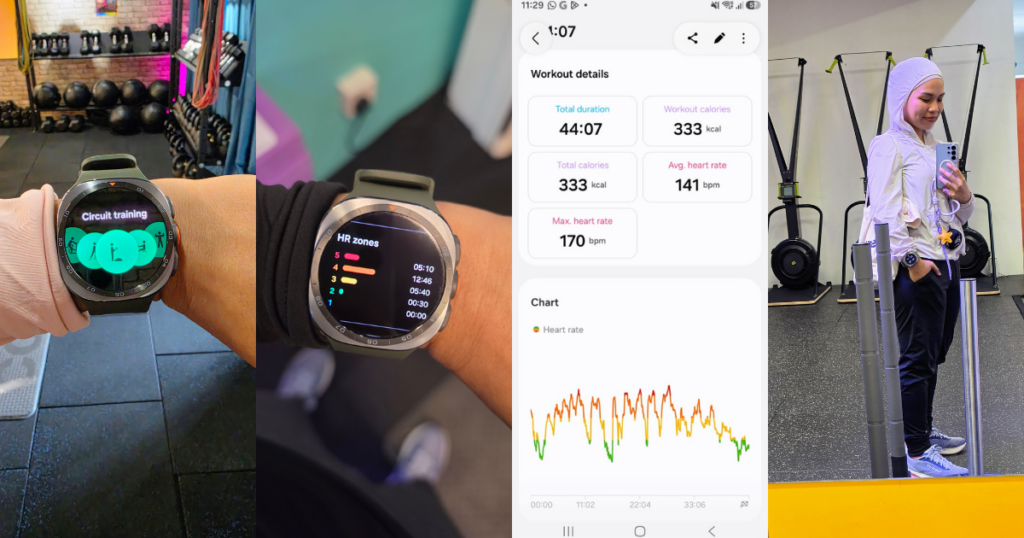
Post-workout, the Ultra2 will automatically send the data to your phone.
Image via Laila/SAYSIt was also unable to track data from my pilates class. As someone who likes looking at stats for that boost of motivation, it can be a little disheartening.
It's not a dealbreaker, but it can be frustrating when you realise you've lost part of your workout data or that none of recorded at all. Hopefully, it's something Samsung can address through future software updates.
Beyond everyday workouts, the Galaxy Watch Ultra2 is also designed for people who want to push their limits, whether through intense training, outdoor adventures or more advanced sports tracking
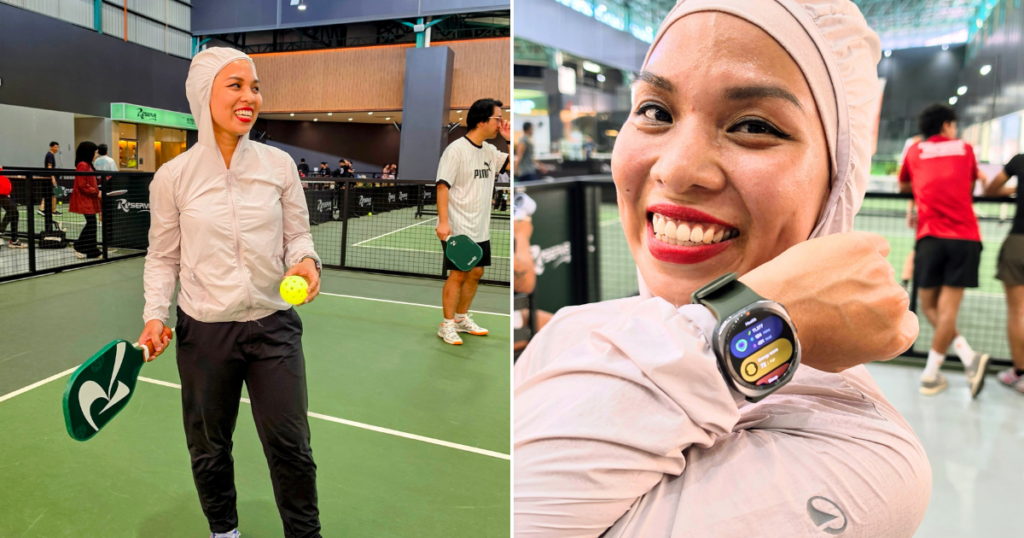
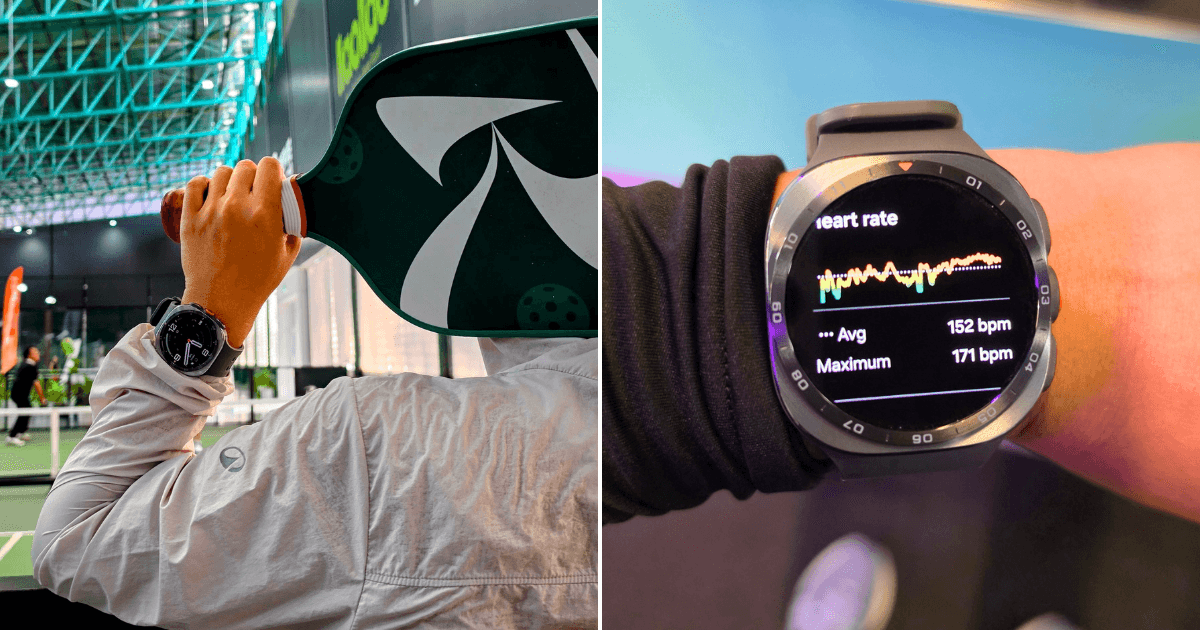
The only "limit-pushing" thing I did was play pickleball and the Ultra2 did a good job tracking it.
Image via Laila/SAYSThe Ultra2 comes equipped with features aimed at runners and outdoor enthusiasts. Its Trail Run mode tracks details such as elevation, climbing progress, and terrain impact, helping users better manage their pace and reduce the risk of injury.
It also helps users train smarter with features like Nutrition Alert, which provides real-time hydration guidance by estimating sweat loss based on body weight. This helps runners understand when they need to hydrate and how much water they may need during their activities.
And for those who prefer taking their adventures underwater, the Ultra2 is ready for that too. With an IP69K rating, 10ATM water resistance, and EN13319 certification, it's built to handle more than just everyday splashes.
The watch can automatically track diving data such as depth, dive time, and water temperature directly from your wrist, while more advanced features like ascent and descent speed tracking and safe dive limits will be available through the dedicated Ultra2 Diving app.
When it comes to look and feel, there's no other way of putting this. The Ultra2 is BIG.
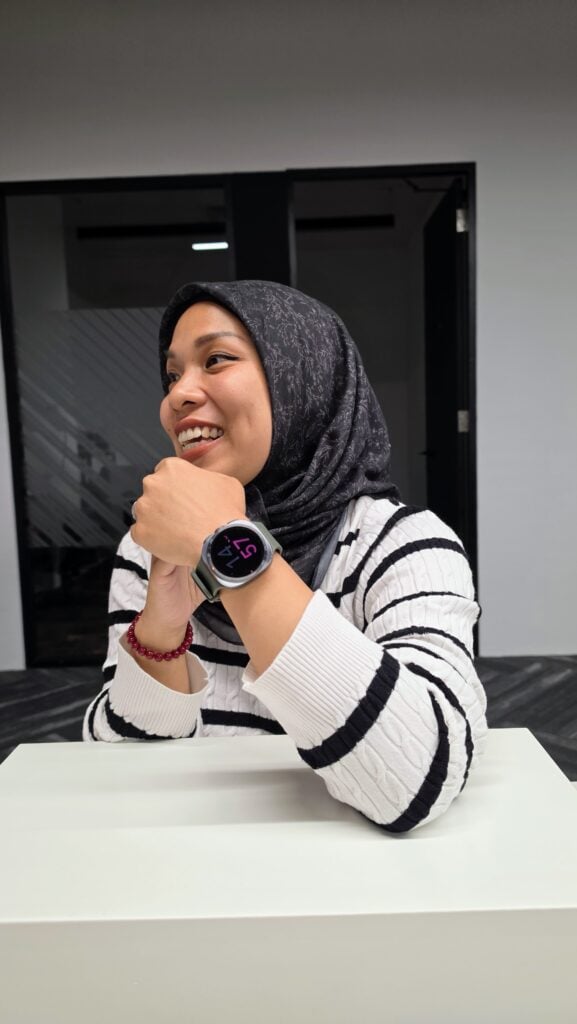
Despite its 47 mm size, Samsung managed to trim the thickness down by 12% compared to the previous model, fitting in its durable titanium casing without feeling overly cumbersome.
Having said that, aesthetically, it doesn't exactly go with an evening dress. Not that I'm complaining. Personally, I love a big watch with a large face. Makes reading it easier.
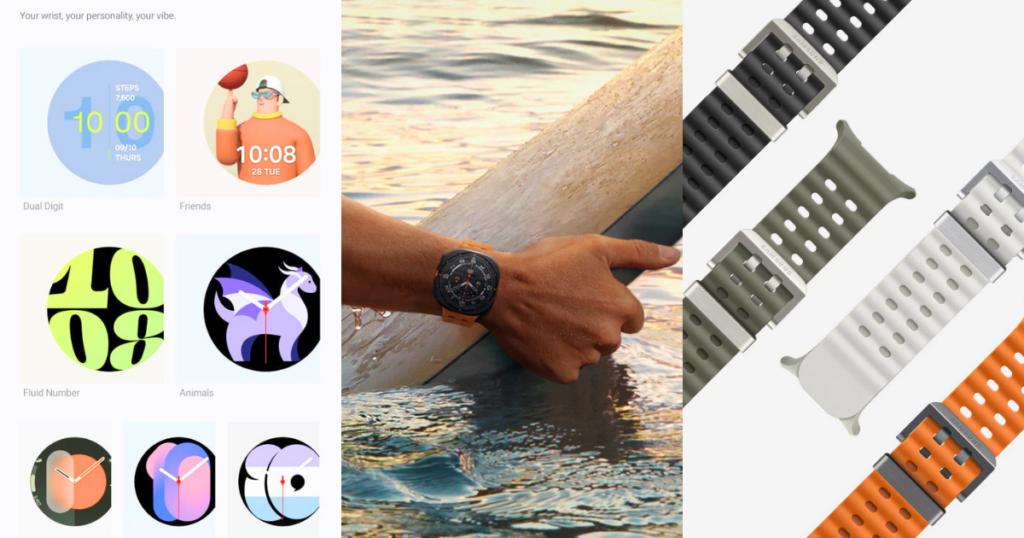
And with the many straps and customisable watch faces, it's becomes another fashion accessory to have fun with.
The upgraded 800 mAh battery delivers about three days of battery life, which is a significant step up for a full-fledged Wear OS device
Samsung has fitted the Watch Ultra2 with an 800mAh battery, which is the biggest ever in a Galaxy Watch.
I consistently got around three days on a single charge, which is genuinely impressive for a Wear OS smartwatch that's constantly tracking health data, workouts, and notifications.
Ironically, my biggest complaint isn't the battery life itself. It's the charging speed.
A full charge takes over an hour, and that's just long enough to become inconvenient. I usually put the watch on the charger before bed, but more than once I've ended up falling asleep before putting it back on.
That means I miss an entire night's worth of sleep tracking and wake up with a gap in my health data.
I'd happily trade even better battery life for faster charging if it meant I could top it up while showering or getting ready for bed.
If you're already part of the Galaxy ecosystem and want a premium smartwatch that excels at fitness, productivity, and everyday convenience, the Galaxy Watch Ultra2 is an easy recommendation
Samsung Galaxy Watch Ultra2 specs:
Price: RM3,399
Case size: 47mm
Case material: Titanium
Processor: Snapdragon Wear Elite Platform
Battery: 800mAh
Display brightness: Up to 5,000 nits
Water resistance: 10ATM, IP69K, EN13319
Operating system: Wear OS with One UI Watch
Colours: Titanium Grey, Titanium Silver
Pros:
- Excellent battery life for a Wear OS smartwatch
- Bright, easy-to-read display
- Gemini is genuinely useful
- Convenient Spotify controls and Samsung Wallet
- Comprehensive fitness and health tracking
- Premium titanium build quality
Cons:
- Workout tracking occasionally stops during circuit training pauses
- Charging could be faster
- Large size won't suit every wrist
