
For A Limited Time, Caltex Is Giving You RM20 Back When You Pump RM40. Here’s How It Works
An easy way to make your petrol go further.


 Cover image via Caltex
Follow us on Instagram, TikTok, and WhatsApp for the latest stories and breaking news.
This Spotlight is sponsored by Caltex.
Drivers, listen up!
Caltex has officially introduced TNG eWallet as a new payment option on the CaltexGO App.
This means topping up your tank has become not only more convenient but also more rewarding.
As part of the Big Bang Campaign, you can now enjoy huge cashback savings when you pay using TNG eWallet in the CaltexGO App.
Here's what you need to know:
1. You can get RM20 worth of fuel value when you pump RM40
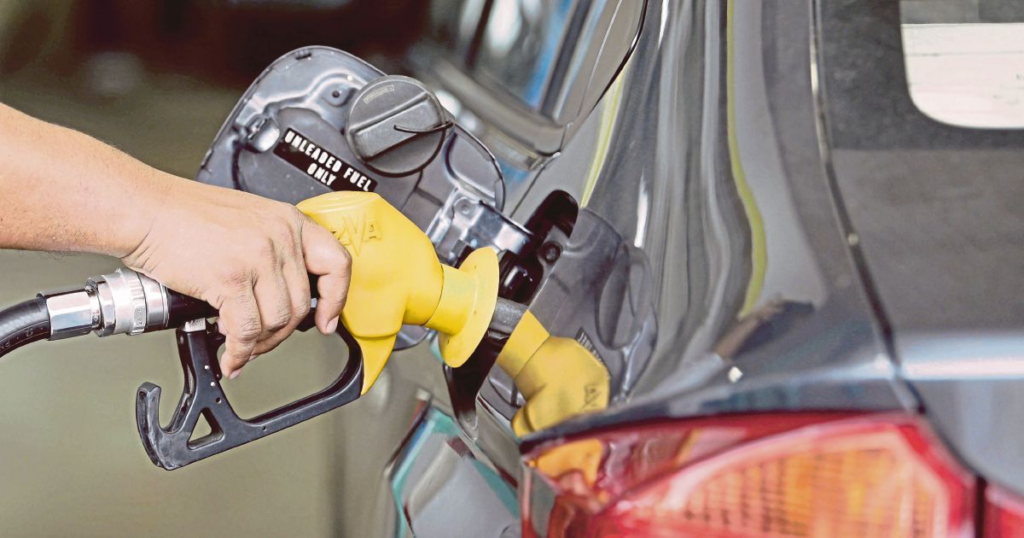
You heard that right!
The addition of TNG eWallet to CaltexGO expands the ways motorists can enjoy the BUDI95 initiative at Caltex.
2. Both new users and existing CaltexGO users get to enjoy amazing perks!
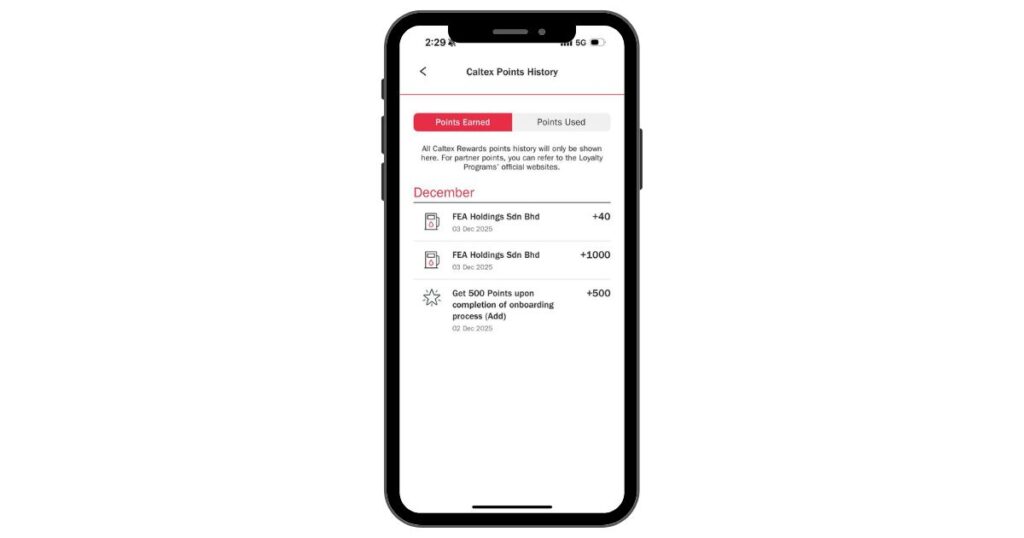
For new CaltexGO users:
Pump RM40, and get RM20 (in a combination of CaltexGO points and TNG eWallet cashback)
The RM20 includes:
- 500 welcome points (equivalent to RM5 on CaltexGO)
- 1,000 pts when pumping RM40 for the first time (equivalent to RM10 on CaltexGO)
- RM5 TNG eWallet cashback
ㅤ
For existing CaltexGO users:
Get RM5 TNG eWallet cashback* for every minimum RM40 transaction
*Only applicable when users use CaltexGO to pump and pay via TNG eWallet. Terms and conditions apply. While stocks last.
3. Paying With TNG eWallet On CaltexGO is simple and safe
All steps are completed digitally, and payment confirmation happens inside your vehicle for safety.
Here's how to use the TNG eWallet on CaltexGO:
Step 1: Download and open the CaltexGO App (iOS or Android)
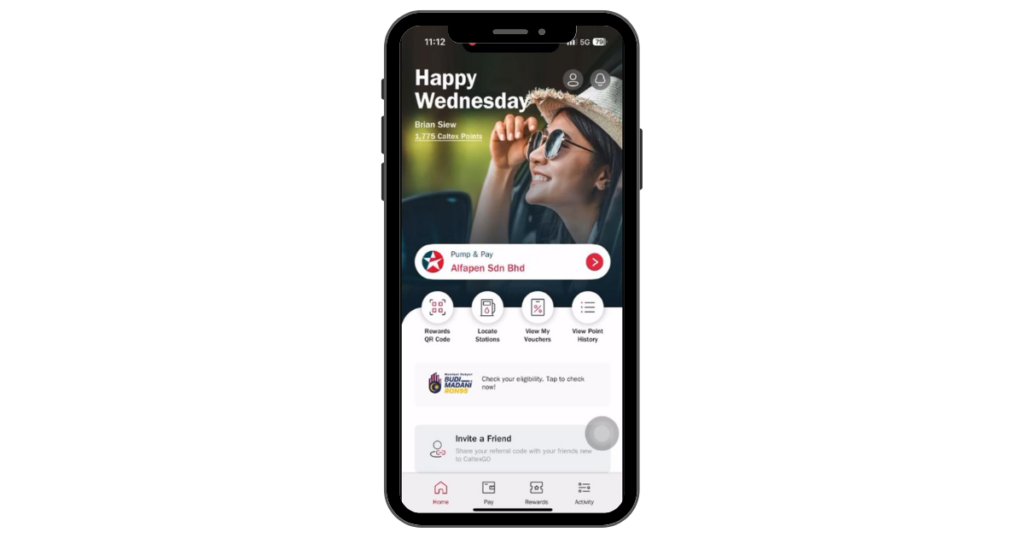
Step 2: Make sure your CaltexGO App is already verified via TNG for the eligibility of BUDI MADANI RON95 subsidy.
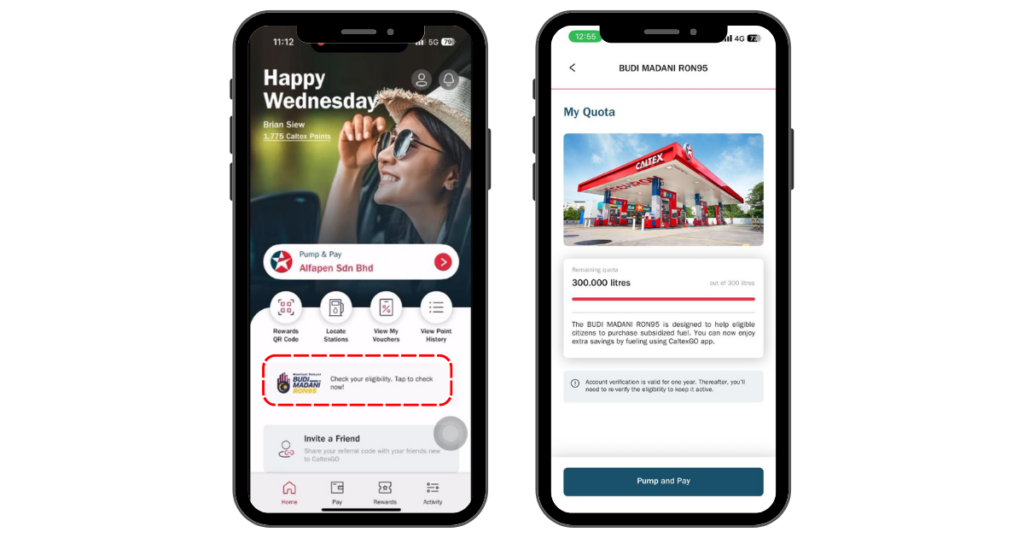
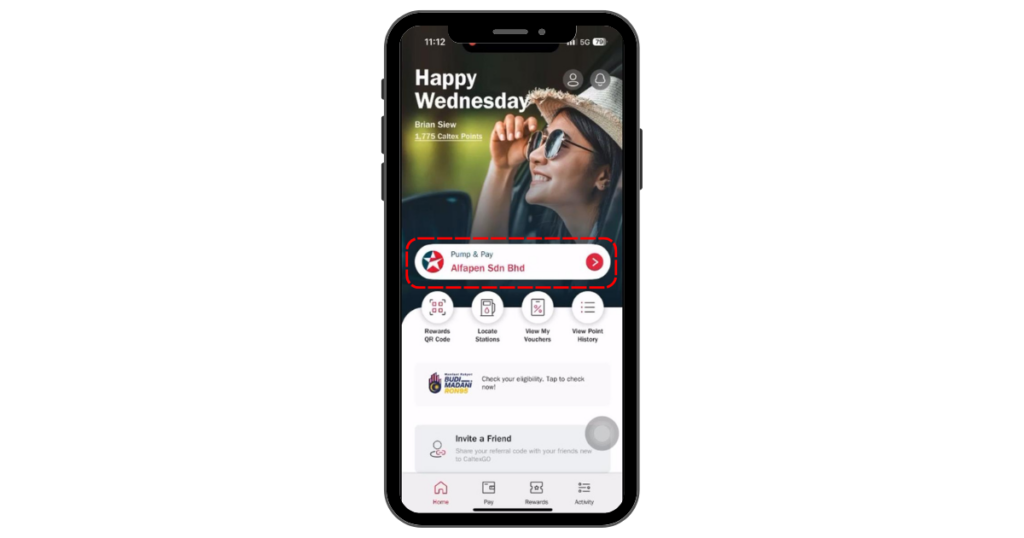
Step 3: In the "Home" page, select your Caltex location under "Pump & Pay"
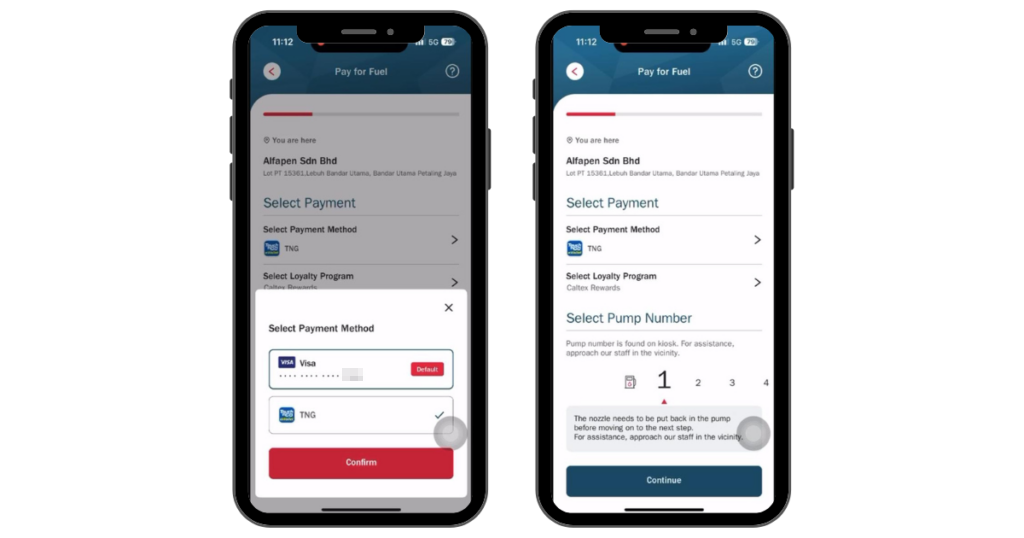
Step 4: In the "Pay for Fuel" page, click on "Select Payment Method" and select "TNG" before tapping the "Confirm" button. Don't forget to choose the correct pump number before you click "Continue".
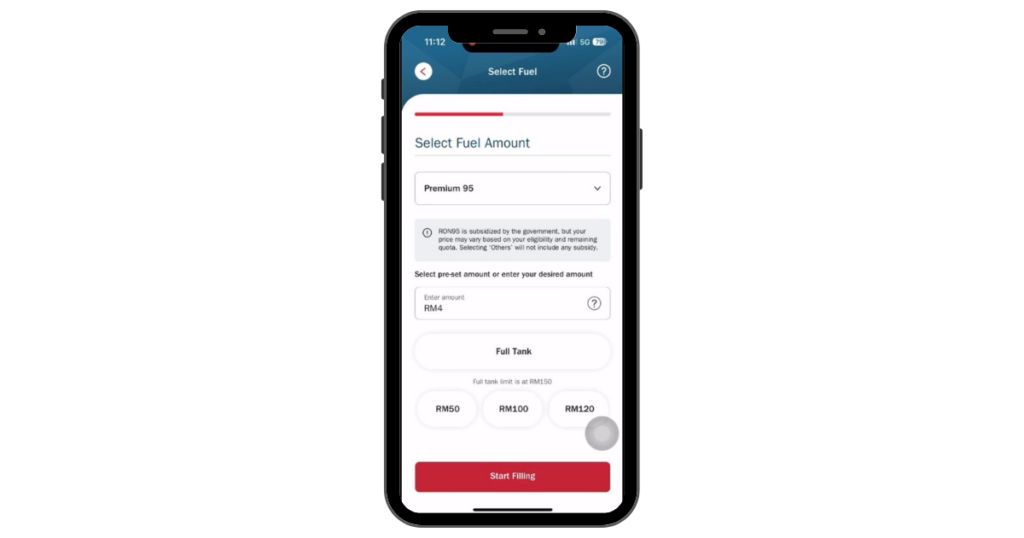
Step 5: In the "Select Fuel" page, select "Premium 95" and set your pre-set amount before you "Start Filling".
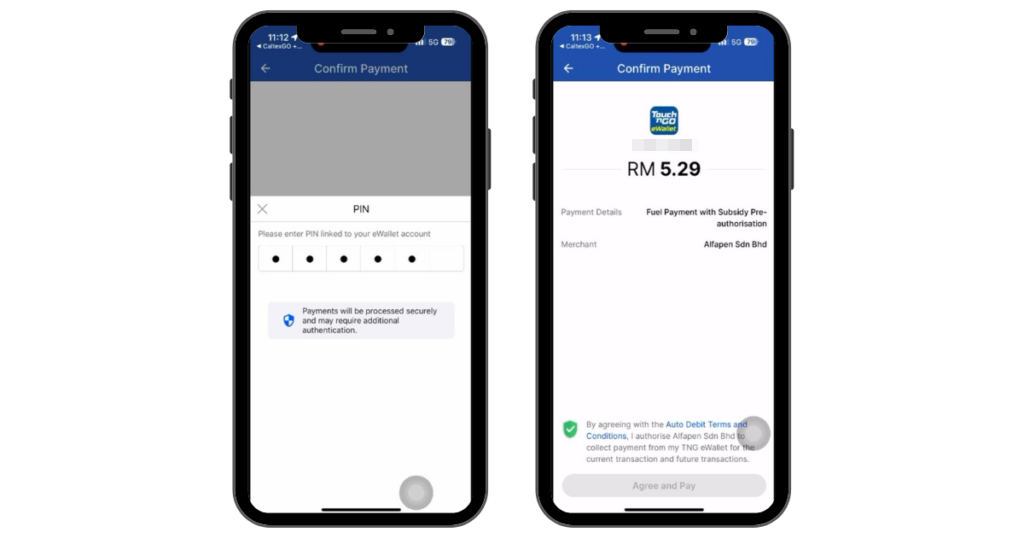
Step 6: Once you land on the "Payment Authentication" page, you'll be redirected to the TNG eWallet app. Follow the on-screen steps to authorise your payment, which may require further authentication, such as Face ID, or entering the TNG app's 6-digit PIN. The amount shown is the higher petrol price, don't panic!
Step 7: Once you've authenticated your payment, you'll be brought to the "Payment Result" page to finalise your payment; click on "Back To Merchant" and you'll be redirected back to the CaltexGO app.
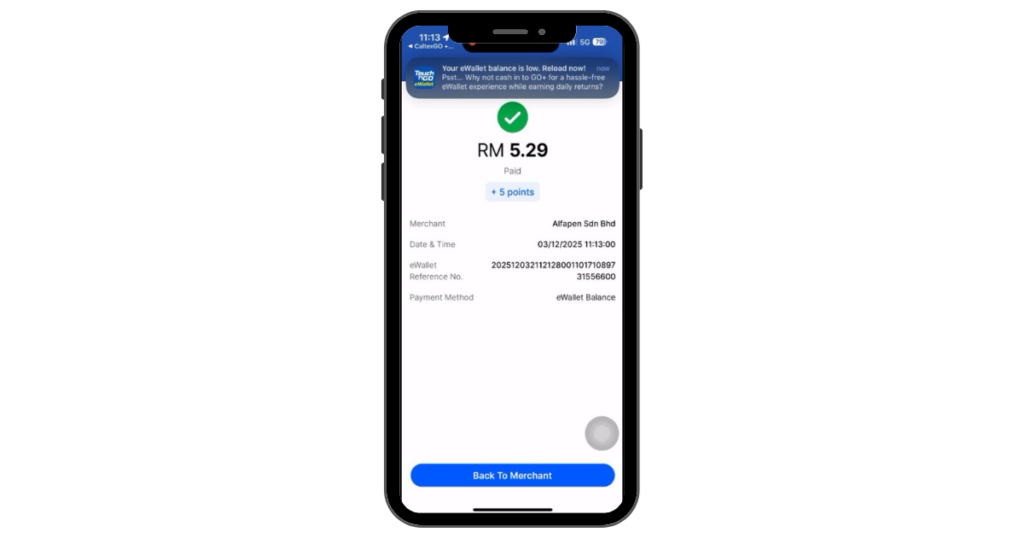
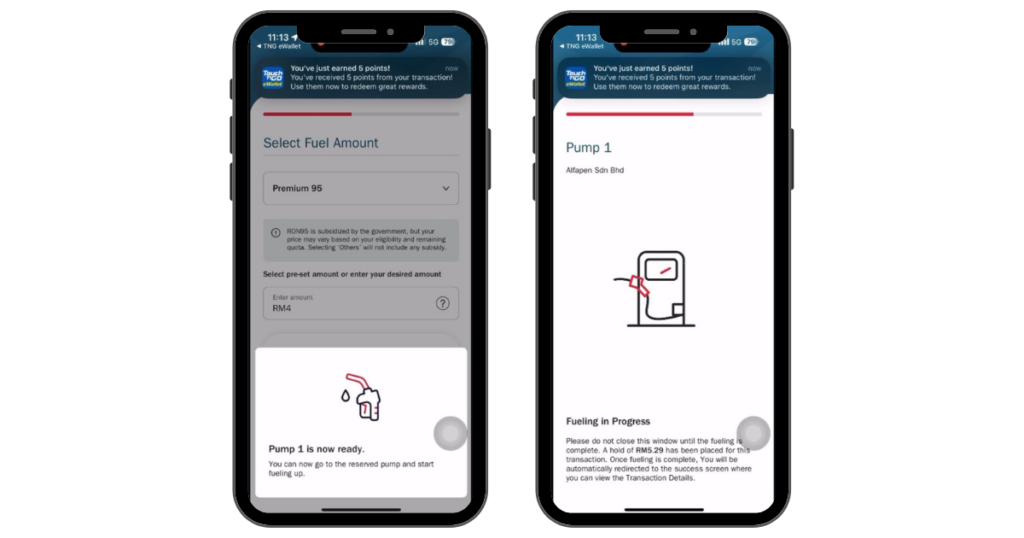
Step 8: Back in the CaltexGO app, once payment is finalised, watch out for the pop-up indicating "Pump [your pump number] is now ready" (pictured below) — you're ready to fuel up!
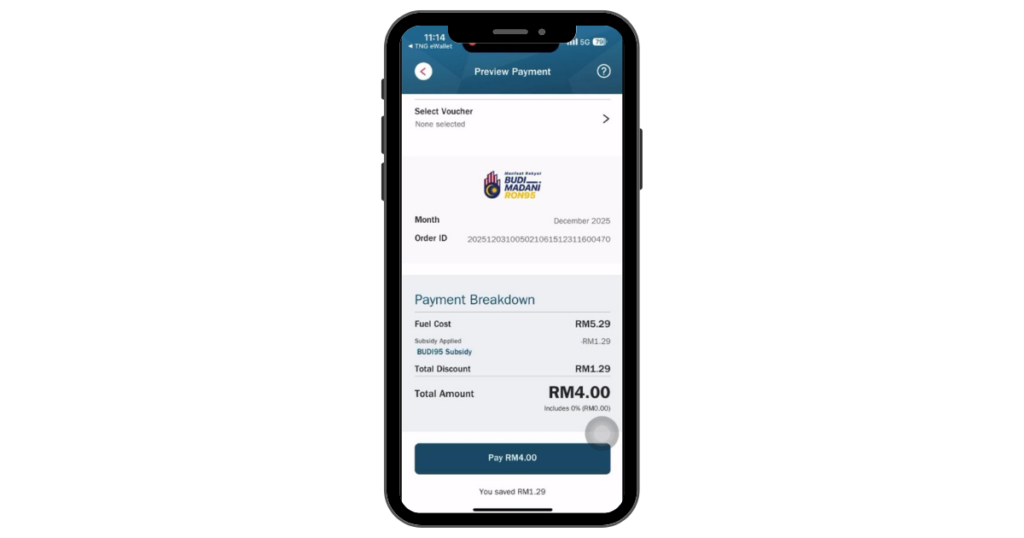
Step 9: Once you're done refuelling, click "Pay". In the "Preview Payment" page, you'll be shown the breakdown of your payment with BUDI95 subsidy included.
Ready to make your fuel top-ups much more worth it?
You can start by downloading the Caltex GO app and heading to your nearest Caltex station today!
You can also learn more by visiting this website.
Got some cool brand news to share?

Take a look at all of our Spotlight stories to date here.
