
What’s An AI Laptop? Here Are 4 Types Of Users Who Will Actually Benefit From Having One
It's great for studying, creating, working, or gaming.

Published For Harvey Norman - 22 Jul 2026, 04:24 PM


 Cover image via
 Follow us on Instagram, TikTok, and WhatsApp for the latest stories and breaking news.
If you've been shopping for a new laptop lately, you've probably noticed AI laptops appearing everywhere

Unlike traditional laptops that rely mainly on cloud-based AI tools, AI laptops come with a dedicated Neural Processing Unit (NPU), a specialised chip designed to handle AI tasks directly on the device.
This means AI-powered features can run faster, use less battery, and continue working even when you're offline.
From automatically summarising documents to improving video calls and speeding up creative work, AI laptops are designed to make everyday tasks easier.
Whether you're a student, professional, creator or gamer, Harvey Norman now offers one of the widest selections of the latest AI laptops to match every lifestyle and use case.
But do you actually need one? Here are four types of people who'll get the most out of an AI laptop:
1. Students who want a laptop for studying and gaming

Imagine you've just walked out of a two-hour lecture. Your notebook is filled with rushed notes and your lecturer has already assigned next week's reading.
For students, a laptop should be able to handle all these with ease. Look for laptops powered by Intel Core Ultra, AMD Ryzen AI, or Qualcomm Snapdragon X, which are among the top laptop processors according to NanoReview. These offer a dedicated NPU to support on-device AI features like document summarisation, live captions, and AI-assisted search.
At least 16GB of RAM is recommended for smooth multitasking between browsing the internet for research, productivity apps, and virtual classes, while at least 512GB of storage provides enough for notes, projects, and media.
If you also enjoy gaming, consider a laptop with an Intel Arc, AMD Radeon, or NVIDIA GeForce RTX dedicated graphics card. These graphics card provide excellent power according to NanoReview, letting you run the most graphically demanding games.
Microsoft Copilot can summarise lengthy lecture notes into properly condensed revision points, while AI-powered search helps you find documents from weeks ago in seconds.
If you're attending online classes, Windows Studio Effects automatically reduces background distractions, keeps you centred on camera, and makes presentations look more professional.
The best part, you won't have to choose between productivity and gaming. Once you're done with assignments, fire up your favourite games like Valorant or Baldur's Gate 3, without having to sacrifice crisp graphics or responsive gameplay.
Here's what Harvey Norman recommends:
1. HP 15.6″ Intel Core Ultra 5-225U AI PC
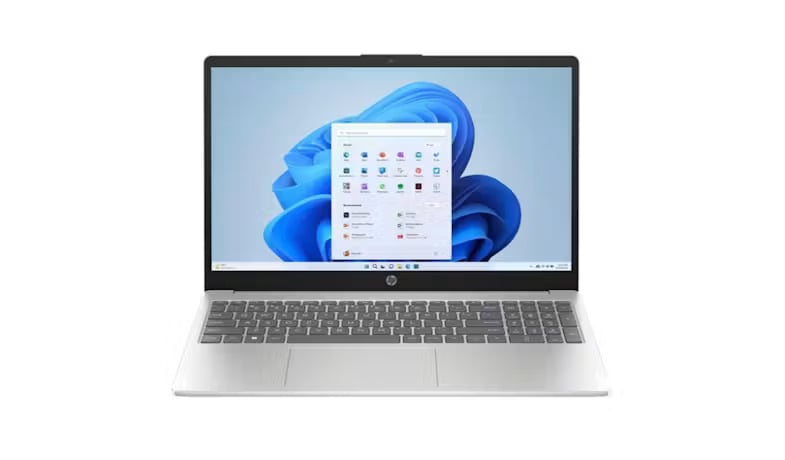
This laptop offers a spacious 15.6-inch display, Intel Arc graphics, and responsive everyday performance, making it suitable for juggling research, assignments, online classes, creative work, and even casual gaming after lectures.
What makes this laptop great:
The Intel Core Ultra 5 (225U) processor intelligently distributes AI workloads across the CPU, GPU, and NPU (which has around 12 dedicated TOPS).
This allows you to transition seamlessly from taking raw notes to instantly summoning an AI sidebar helper for brainstorming presentation slides, summarising a massive textbook chapter, or cross-referencing formulas without having to open new tabs or lose your academic workflow.
2. Lenovo IdeaPad Slim 3 14IWC11
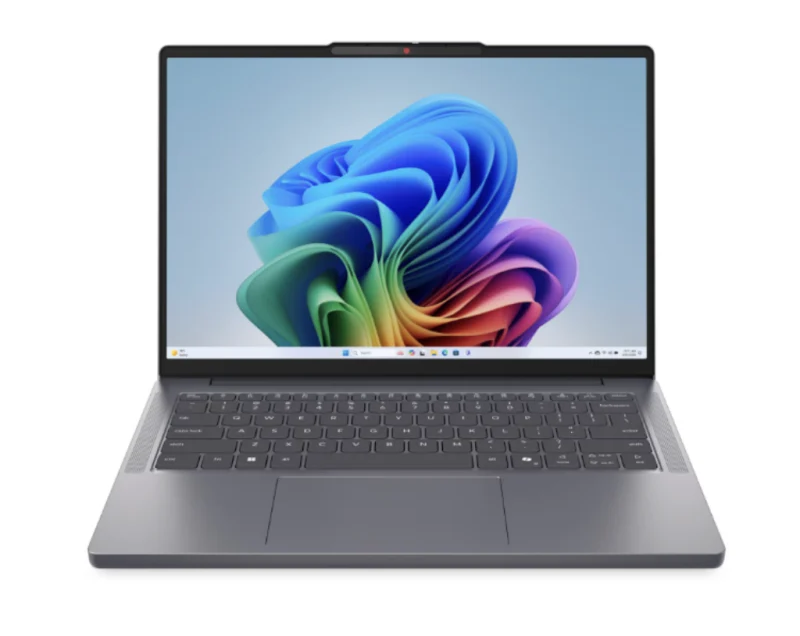
With 16GB RAM, fast SSD storage, and a slim, portable design, the Lenovo IdeaPad Slim 3 is built for students who spend their day moving between classes, study sessions, and online collaboration. Its immersive display and Dolby Audio also make it equally enjoyable for streaming and entertainment.
What makes this laptop great:
The lightning-fast PCIe NVMe Solid-State Drive (SSD) provides high-speed data retrieval that acts as an instant launchpad for heavy AI software.
This allows you to launch AI-driven coding assistants, photo editing software, and voice-to-text lecture transcribers in seconds, saving you valuable time between classes and ensuring your apps are ready to work the moment inspiration strikes.
3. HP OmniBook 3 Next Gen AI
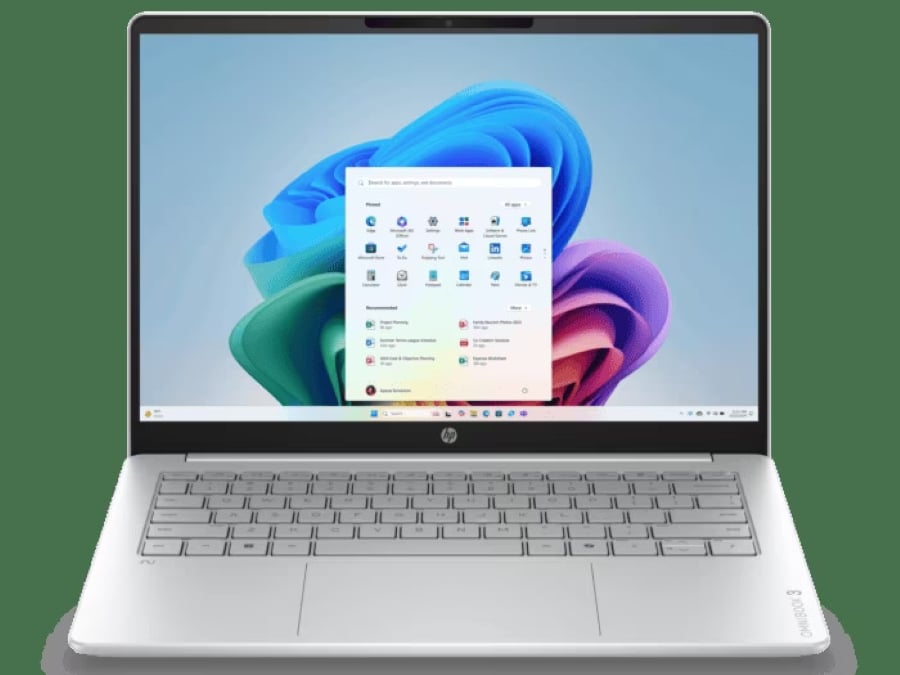
The HP OmniBook 3 is designed for students who need reliable all-day performance in a thin and lightweight laptop. Combined with long battery life and responsive multitasking, it's well suited for everything from lectures and assignments to video calls and independent study.
What makes this laptop great:
Powered by the Qualcomm Snapdragon X processor and its Hexagon NPU, it excels at delivering fast, power-efficient on-device AI experiences.
Additionally, the built-in, dedicated Copilot Key provides a single-press physical gateway to immediate hardware-accelerated AI companion tools right at your fingertips.
This allows you to transition seamlessly from taking raw notes to instantly summoning an AI sidebar helper for brainstorming presentation slides, summarising a massive textbook chapter, or cross-referencing formulas without having to open new tabs or lose your academic workflow.
4. HP OmniBook X Flip Ryzen AI 5
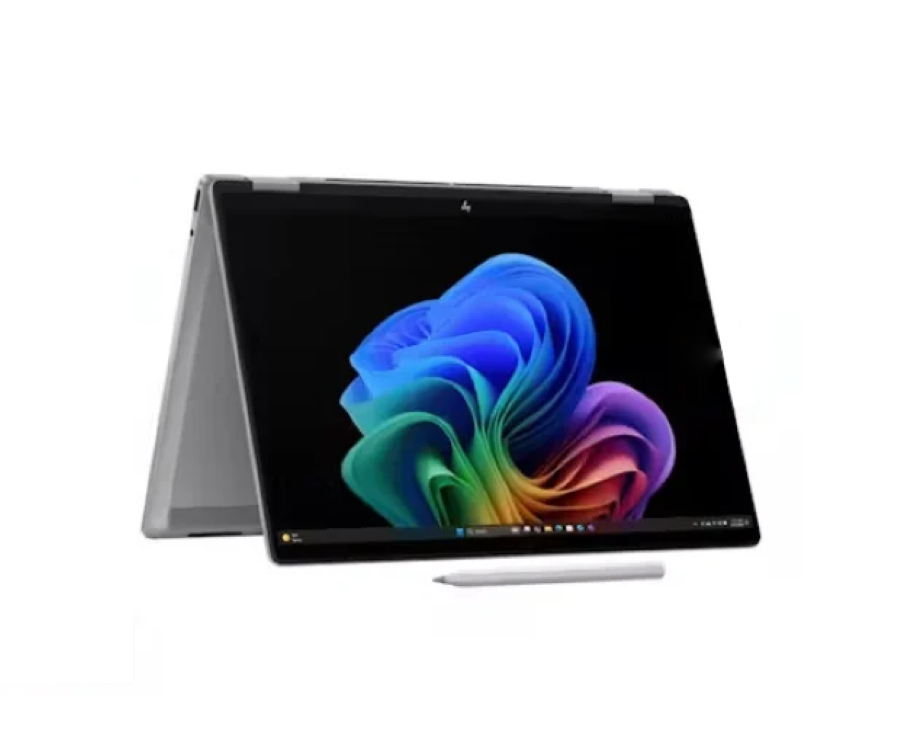
The HP OmniBook X Flip Ryzen AI 5 combines a lightweight 2-in-1 convertible design with 16GB RAM, making it easy to switch between typing assignments, annotating lecture slides, taking handwritten notes, and sketching ideas. Its portable form factor also makes it a great companion for students moving between lectures, libraries, and home.
What makes this laptop great:
Unlike traditional laptops, the 'flip' design lets you pivot the hardware physically to change how you interact with AI software.
The versatile 360-degree convertible 2-in-1 design with a 2K Gorilla Glass touchscreen provides an adaptive physical interface for interactive AI applications.
This allows you to quickly flip the laptop into tablet or tent mode, utilising a stylus to sketch diagrams or highlight text while local AI tools actively analyse your handwritten study notes, solve formulas, or generate visual concepts right on the screen.
5. HP OmniBook X Flip Next Gen AI 2-in-1
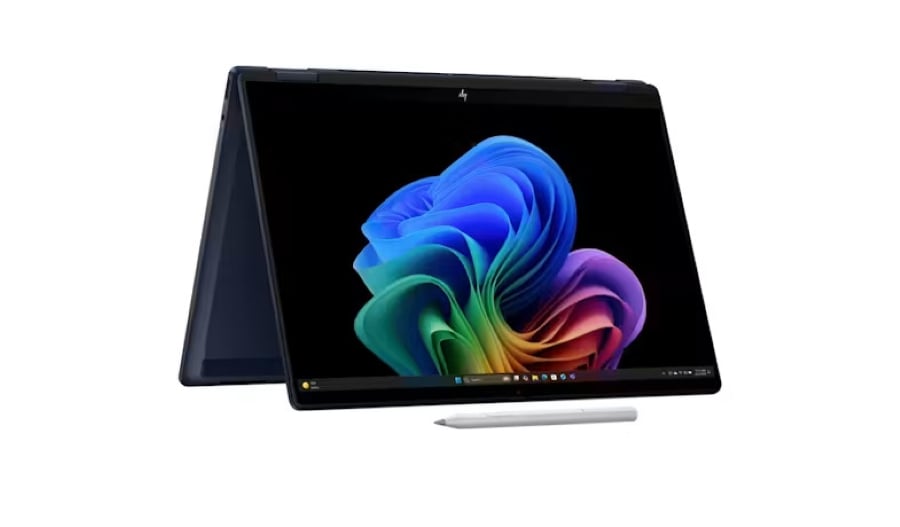
Combining a premium convertible design with an intuitive touchscreen, the HP OmniBook X Flip adapts effortlessly whether you're typing notes, presenting projects, sketching diagrams, or watching lectures. Its lightweight build also makes it easy to carry throughout the day.
What makes this laptop great:
Powered by an Intel Core Ultra processor with an integrated NPU, it unlocks advanced AI experiences that help you interact with your laptop more naturally.
AI can help by quickly locating files with conversational search, generating presentation ideas, and streamlining group projects, reducing the time spent navigating your device so you can stay focused on getting work done.
Also, it shares the same OmniBook X Flip advantage that lets you wield in multiple form facts as you perform AI tasks.
2. Working professionals who want to work smarter

Picture a typical Monday. You begin with a meeting, spend the afternoon replying to emails, jump into another client presentation, then somehow need to remember everything discussed for the whole month.
When it comes to productivity, professionals will find that processors lines like the Intel Core Ultra, Qualcomm Snapdragon X, or AMD Ryzen AI give them maximum efficiency when it comes to multitasking and sifting through vast amounts of spreadsheets.
Features such as HP AI Companion and Lenovo AI Now help you summarise documents, retrieve information, and search for files more intuitively, while ASUS AI ExpertMeet streamlines virtual meetings with AI-generated summaries, real-time captions, noise cancellation, and webcam enhancements. Acer PurifiedVoice and PurifiedView can also improve voice clarity and webcam quality for online meetings.
Here's what Harvey Norman recommends:
1. HP OmniBook X Flip Ryzen AI 7
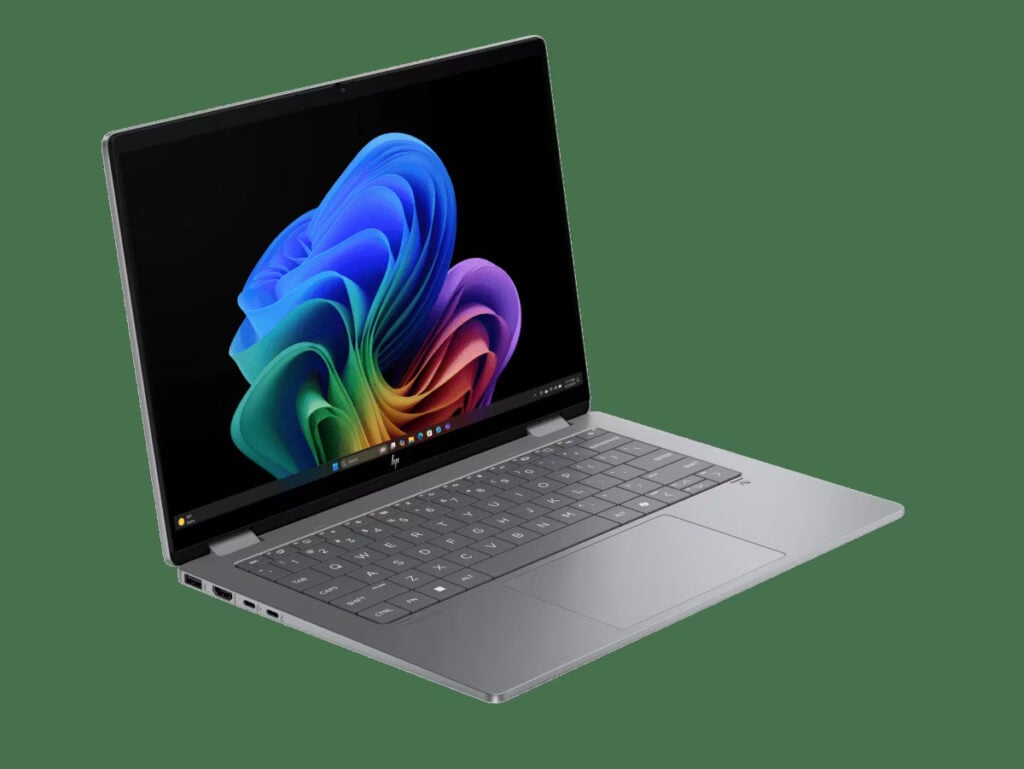
The HP OmniBook X Flip Ryzen AI 7 is built for professionals who need flexibility throughout the workday, combining a lightweight 2-in-1 design with 16GB RAM for smooth multitasking between emails, presentations, spreadsheets, and video calls. Its convertible form factor also allows you to switch between laptop, tablet, and tent modes when working remotely or presenting ideas.
What makes this laptop great:
Powered by an AMD Ryzen AI processor with a dedicated 50 TOPS NPU, it accelerates on-device AI experiences that help streamline everyday workflows including organising meeting notes, prioritising tasks, generating presentation outlines, and analysing large documents.
2. Lenovo Yoga Slim 7 Snapdragon X Plus
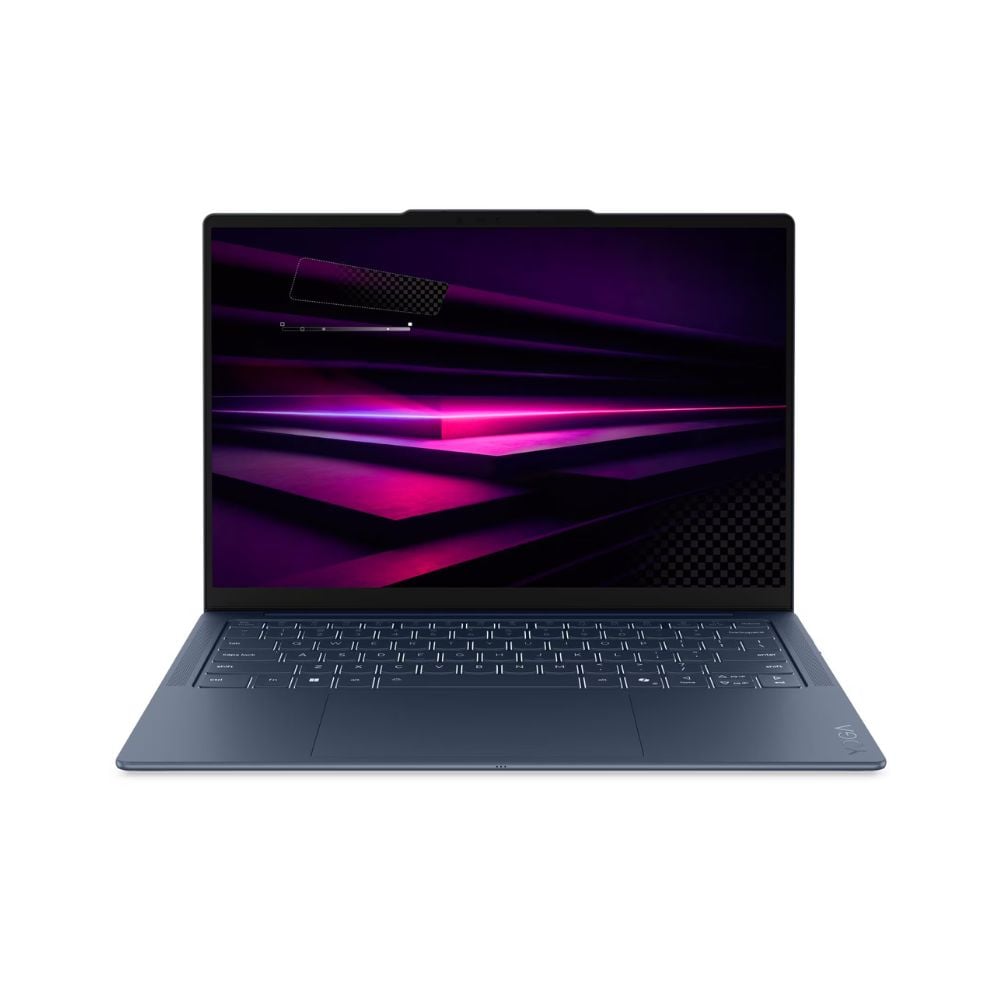
Designed for professionals who are constantly on the move, the Lenovo Yoga Slim 7 combines a slim 13.9mm lightweight design with long-lasting battery performance and a 9.2MP IR camera with e-shutter for clearer, more secure video meetings. Its portable form makes it ideal for hybrid workers who move between offices, cafés, and home workspaces.
What makes this laptop great:
The laptops ultra-high-speed 16GB LPDDR5x-8448 memory provides a massive, high-bandwidth data runway specifically optimised for feeding complex corporate data directly to the AI engine.
This allows you to run locally processed AI productivity software, advanced text summarisers, and enterprise tools seamlessly alongside heavy web browser sessions and video conferencing feeds, ensuring your system never lags or cuts out when you are racing to meet an critical corporate deadline.
3. ASUS Vivobook S16
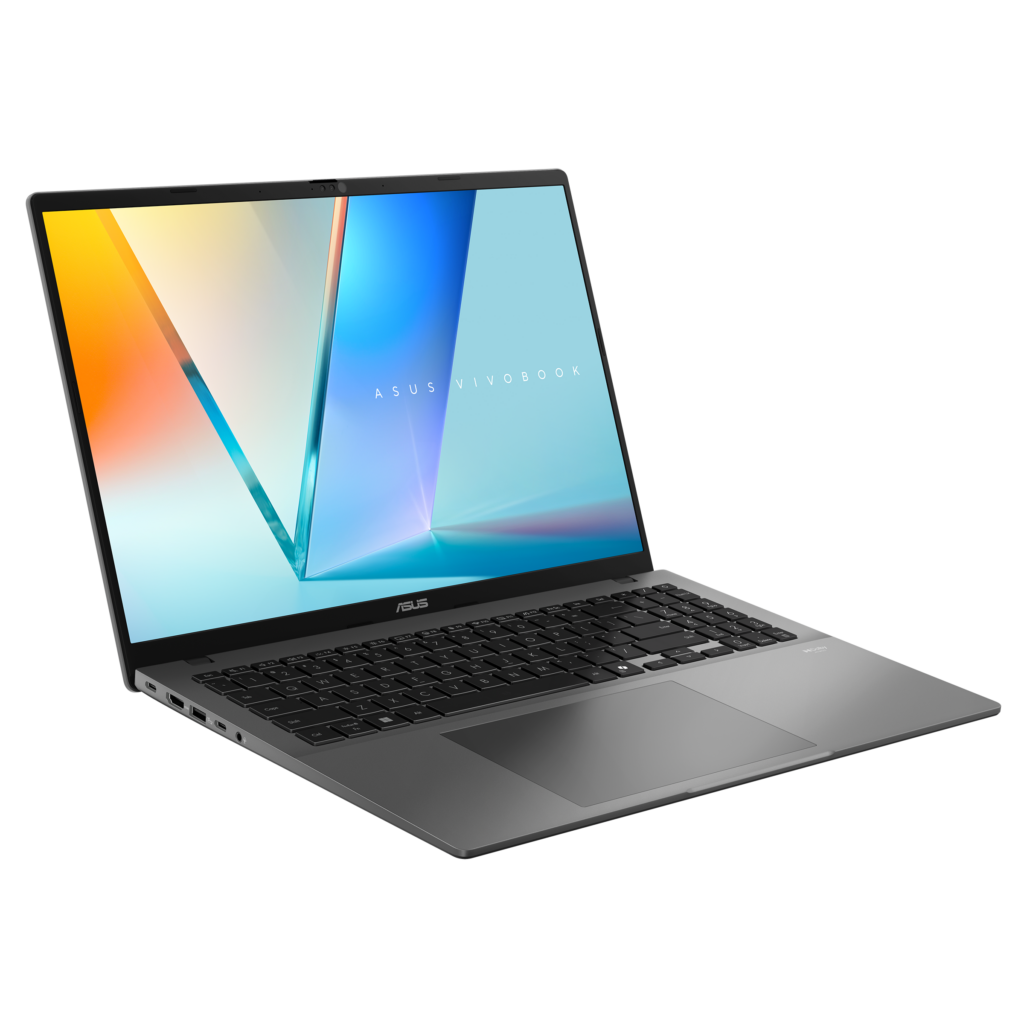
The ASUS Vivobook S16 is designed for professionals who want a balance between productivity and comfort, featuring a spacious 16-inch OLED display, slim metallic design, and responsive performance for managing multiple applications throughout the workday. Its larger screen makes multitasking across documents, spreadsheets, presentations, and video calls much easier.
What makes this laptop great:
The premium Next-Gen AI Processor features a built-in, industry-leading NPU that delivers a massive 50 dedicated TOPS of hardware-accelerated performance.
This allows you to multitask more efficiently while using advanced, local AI-powered tools for instantly drafting client proposals, summarising corporate reports, automating data analysis, and organising your professional workflow without slowing down your core business applications or sacrificing all-day battery life when travelling.
4. ASUS Zenbook 14 OLED Copilot+ PC
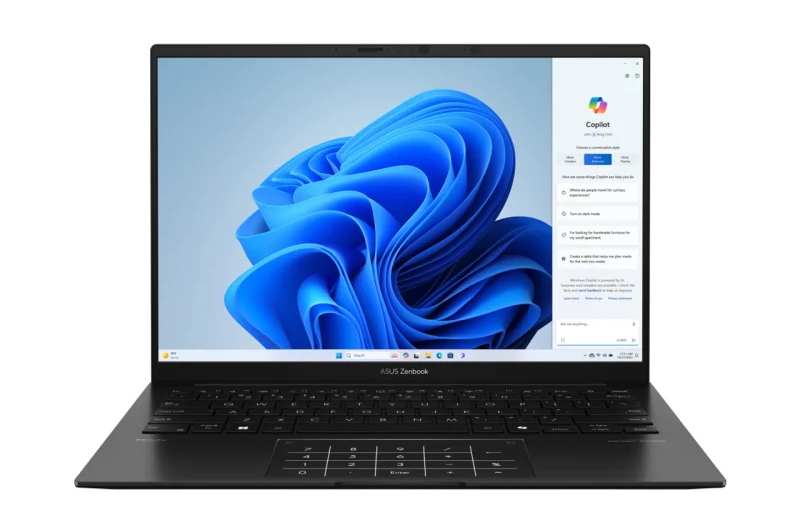
Built for professionals who value both portability and performance, the ASUS Zenbook 14 OLED combines an ultra-thin design with a premium 14-inch OLED display and powerful AI-ready hardware. Its lightweight build makes it easy to carry between meetings, business trips, and remote work setups.
What makes this laptop great:
Also powered by an AMD Ryzen AI processor with a dedicated 50 TOPS NPU, this Copilot+ PC unlocks Microsoft's latest AI experiences, including more natural Windows Search, AI image creation, and intelligent assistance that helps you find information, generate ideas, and complete your tasks more efficiently.
5. Acer Swift Go 16 AI Intel Core Ultra X7-358H
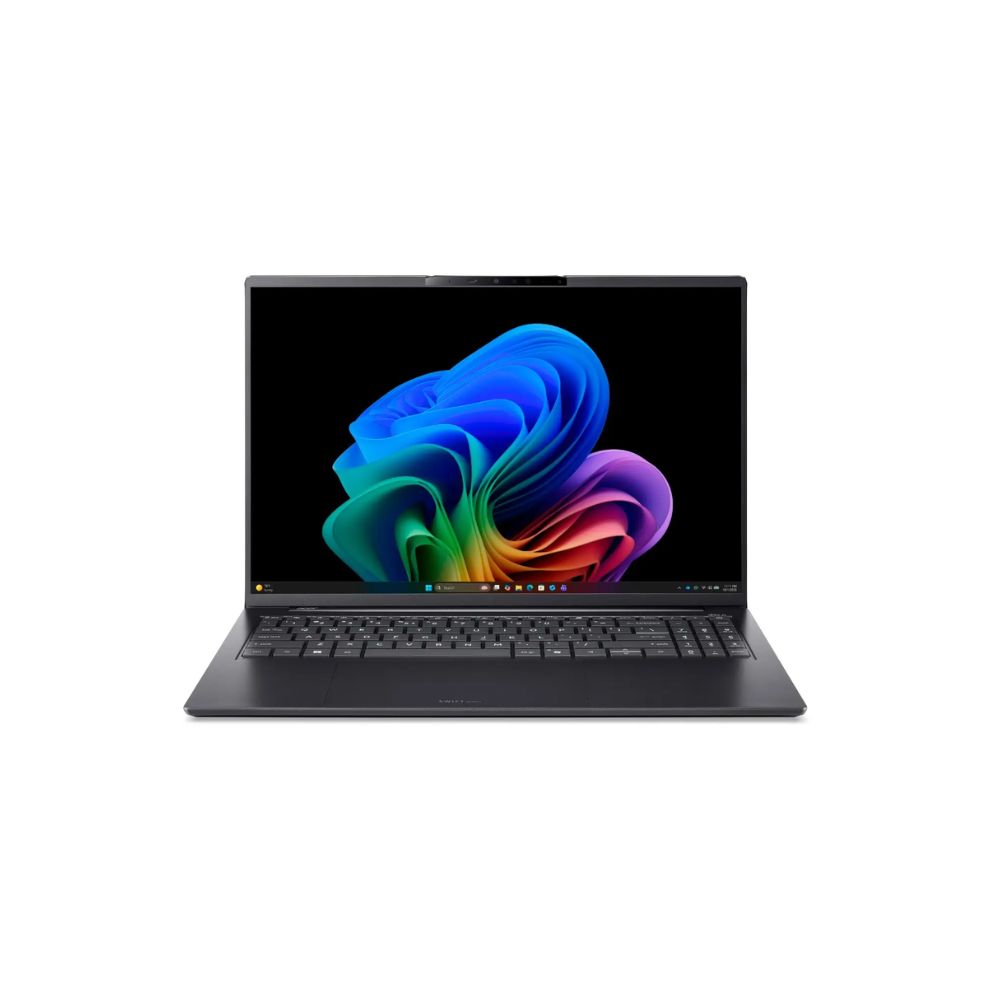
The Acer Swift Go 16 AI combines powerful performance with portability, featuring an Intel Core Ultra processor, Intel Arc graphics, and a lightweight design that makes it suitable for professionals who need to handle demanding workloads while staying mobile. It also offers enough graphical power for presentations, creative projects, and entertainment after work hours.
What makes this laptop great:
The laptops massive 32GB LPDDR5X memory provides an expansive, high-bandwidth data runway specifically optimised for loading complex enterprise datasets and running local AI engines.
This allows you to run locally processed AI productivity software, advanced code generators, and large language models seamlessly alongside heavy database sessions and video conferencing feeds, making sure your system never lags or cuts out when you are racing to meet a critical corporate deadline.
3. Content creators who want to focus more on creativity
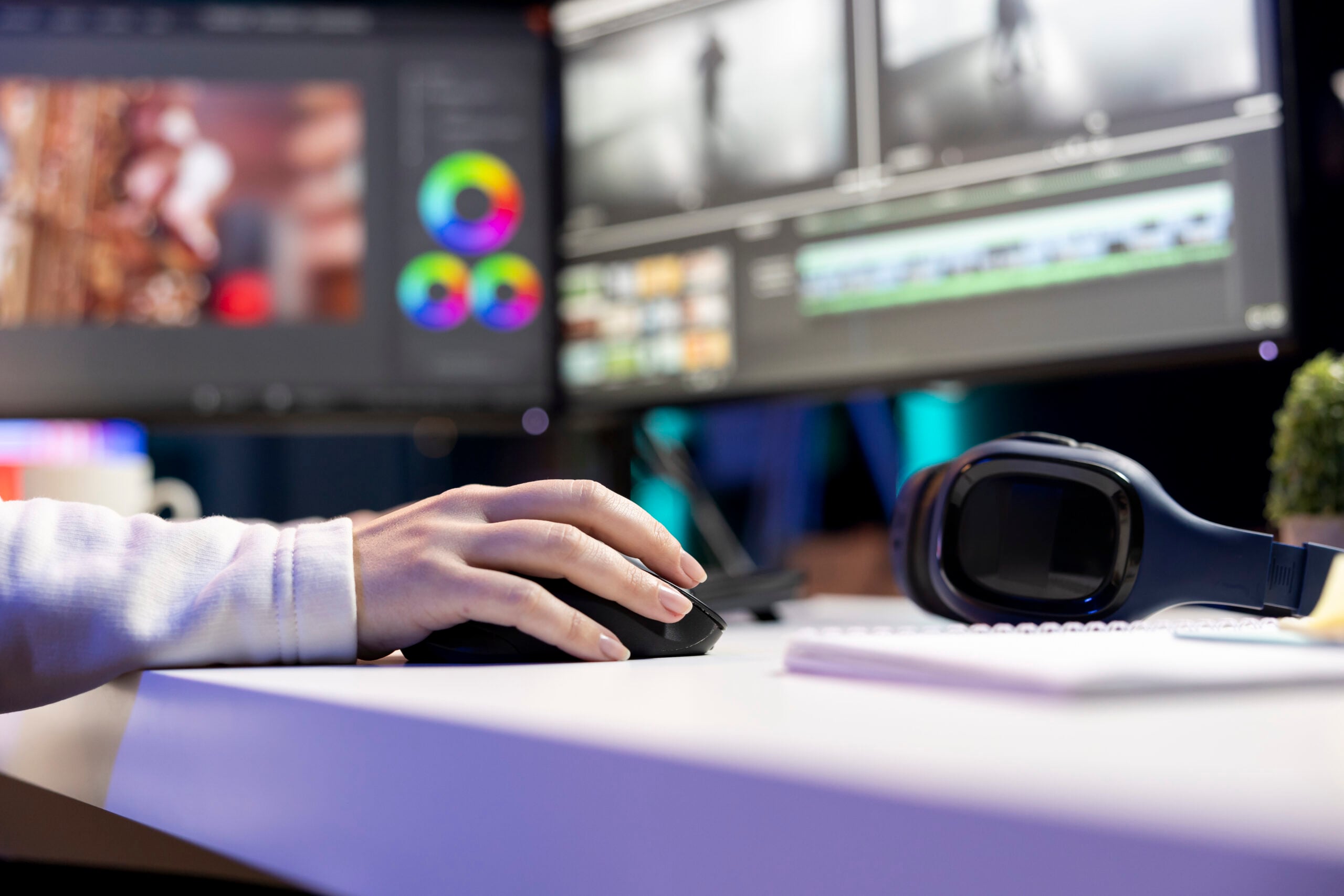
You just wrapped up a full day of shooting, but the work is far from over. Suddenly, you're met with hundreds of photos to sort through, hours of footage to review, client revisions to make, captions to write, and deadlines that are tight.
Then you realise, the creative part is actually just a small portion of the job. The rest of your time is spent on reviewing footage, organising files, and waiting for videos to render.
Whether you're editing videos or creating content for social media, creative work often involves juggling large files and demanding software.
Creative power users will discover how AI-attuned processors can use dedicated NPUs to accelerate AI-powered creative features like image enhancement, object remove, transcription, and generative editing.
If you work with video editing, 3D design, or motion graphics, a powerful dedicated graphics card can also significantly speed up rendering, exports, and AI-assisted effects. According to NanoReview, graphics cards such as the NVIDIA GeForce RTX series is excellent at this. Pair that with at least 16GB of RAM (32GB is ideal for heavier workloads), a 512GB SSD or larger, and a high-resolution OLED display for accurate colours and a smoother editing experience.
Here's what Harvey Norman recommends:
1. Lenovo Yoga Slim 7 Snapdragon X Elite
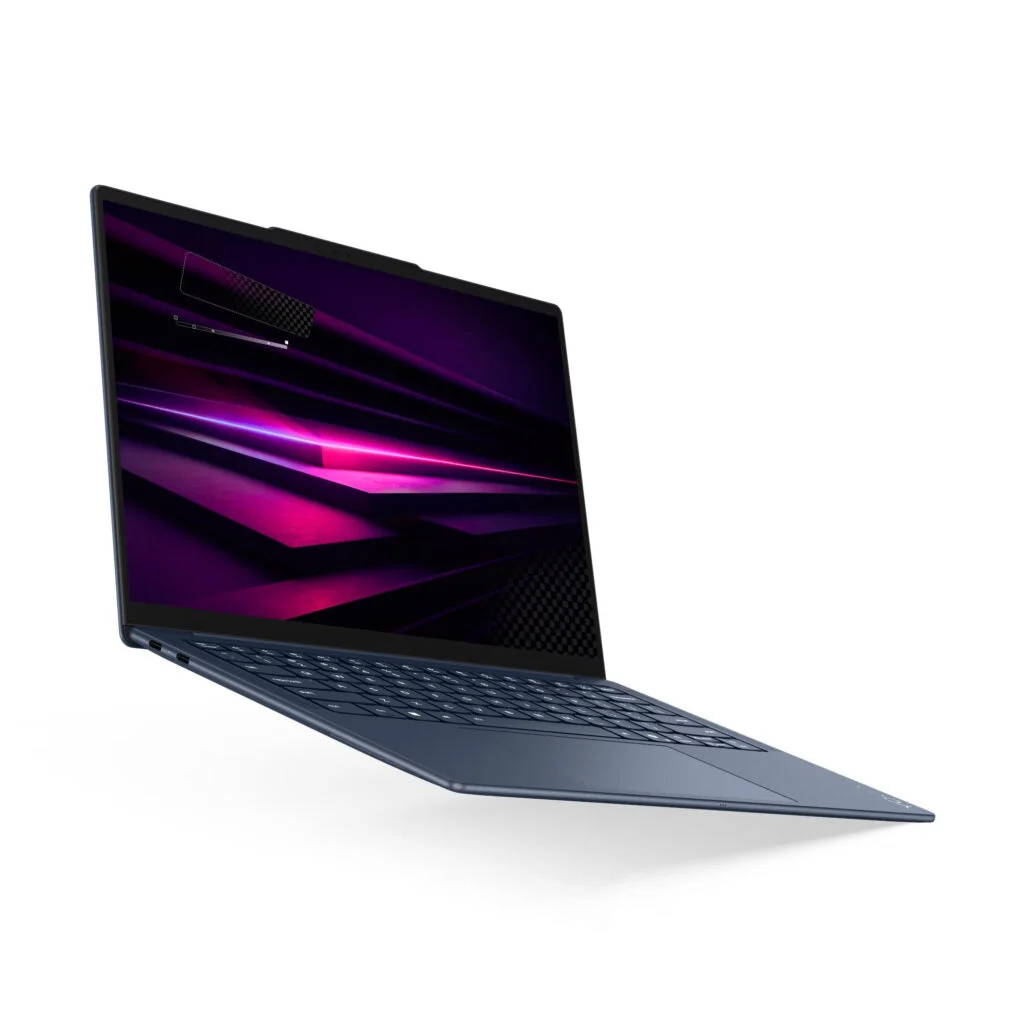
The Lenovo Yoga Slim 7 Snapdragon X Elite is built for creators who need desktop-level performance in a lightweight package. Featuring a stunning 2.8K PureSight OLED display, long-lasting battery life with Rapid Charge Express, and a premium, ultra-portable design.
What makes this laptop great:
The flagship Snapdragon X Elite processor intelligently coordinates with a massive 32GB of ultra-high-speed LPDDR5x-8448 memory to stream dense media assets directly into a dedicated 45 TOPS Hexagon NPU, while the stunning 14.5″ 3K PureSight OLED touch display provides a color-accurate, real-time preview canvas for your work.
This allows you to multitask more efficiently while using advanced, local AI-powered tools for instantly isolating audio vocals, applying smart video masks, and generating high-fidelity visual effects variations seamlessly alongside your active editing timelines, ensuring fewer lags and bottlenecks when racing to finish a creative client project.
2. ASUS Zenbook S14
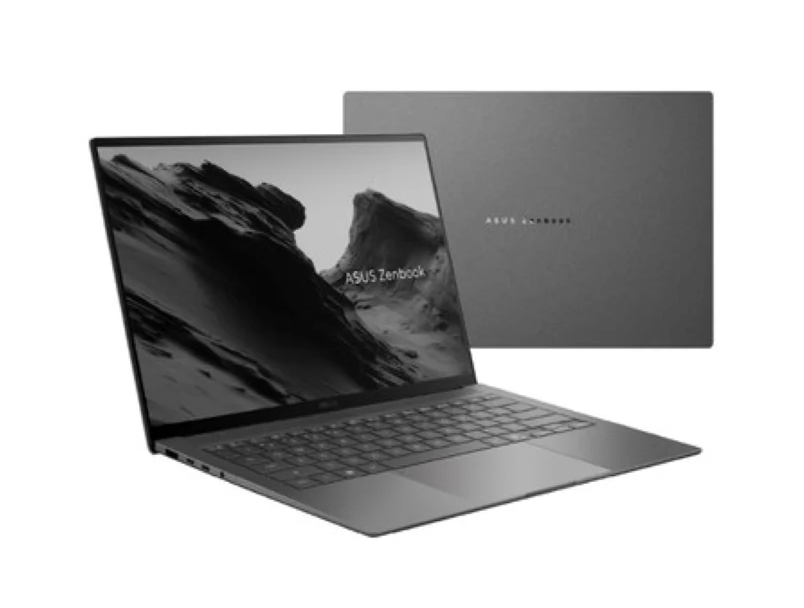
The ASUS Zenbook S14 combines premium portability with professional-grade performance, featuring an ultra-lightweight Ceraluminum chassis, a long-lasting 72Wh battery, and a sleek design.
What makes this laptop great:
The premium Intel Core Ultra processor (Series 2) intelligently coordinates with up to 32GB of lightning-fast, on-chip LPDDR5X-8533 memory to feed dense multimedia data directly into an integrated Intel AI Boost NPU delivering 47 dedicated TOPS, while the breath-taking 14-inch 3K ASUS Lumina OLED touchscreen serves as a color-accurate, cinema-grade canvas.
Content creators can run automated neural filters, generate high-fidelity asset variations, and apply smart masks directly inside their editing software. Because the hardware offloads these demanding processes efficiently, your active timelines remain fluid and responsive, ensuring your system never forces you to slow down during critical client reviews.
3. ASUS Zenbook S16 Ryzen AI 9
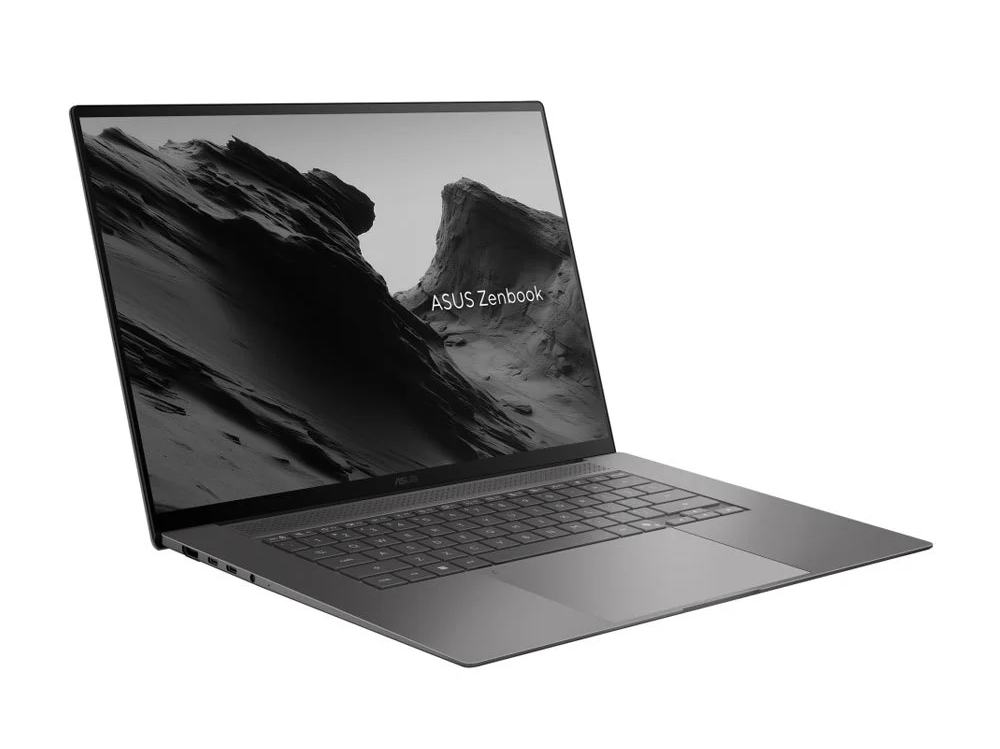
Designed for demanding creative workflows, the ASUS Zenbook S16 pairs an expansive 16-inch 3K 120Hz ASUS Lumina OLED touchscreen with an ultra-slim design, giving creators plenty of space for editing timelines, high-resolution photos, and digital illustrations without compromising portability.
What makes this laptop great:
Powered by the latest AMD Ryzen AI 9 processor with a dedicated 50 TOPS NPU, it enhances AI-powered workflows in supported creative software such as Adobe Photoshop and Adobe PremierePro, helping speed up intelligent masking, generative image editing, video effects, and AI-assisted rendering.
The result is a smoother workflow when working with large files or more demanding projects.
4. ASUS Zenbook S14 OLED
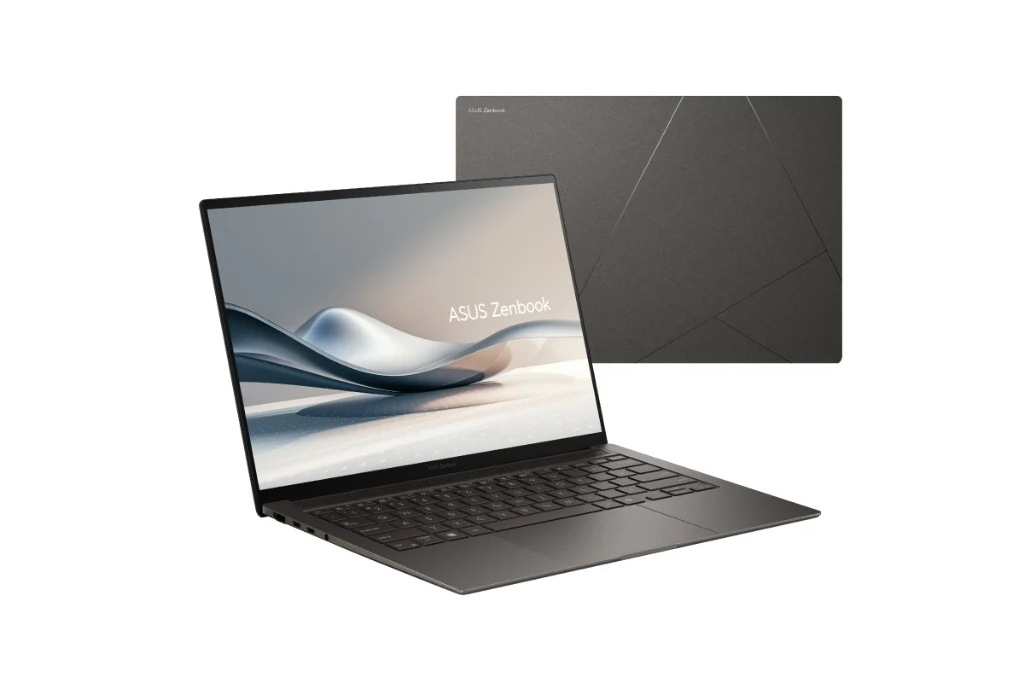
The ASUS Zenbook S14 OLED is designed for creators who need a powerful laptop they can take anywhere. Its 14-inch 3K 120Hz ASUS Lumina OLED touchscreen delivers vibrant colours and sharp details, while the ultra-thin Ceraluminum chassis makes it easy to carry between shoots, meetings, and editing sessions.
What makes this laptop great:
Powered by an Intel Core Ultra processor with an integrated NPU, it boosts creative productivity by utilising AI-powered workflow tools like file organisation, content generation, intelligent search, and creative ideation.
5. ASUS ProArt PX13
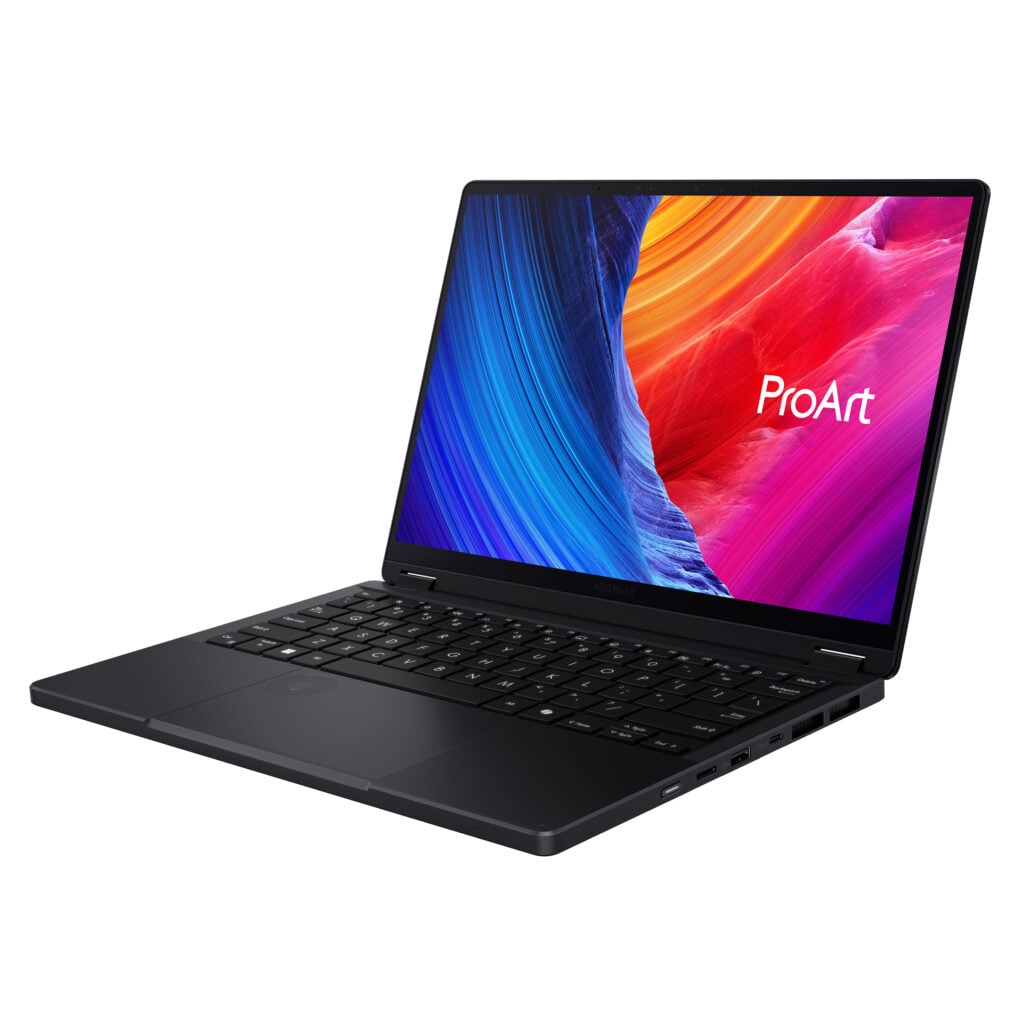
Purpose-built for creative professionals, the ASUS ProArt PX13 combines an AMD Ryzen AI processor, NVIDIA GeForce RTX graphics, a stunning 13.3-inch 3K ASUS Lumina OLED touchscreen, and a versatile four-mode convertible design. Whether you're editing videos, retouching photos, illustrating, or presenting concepts, it's built to adapt to every stage of the creative process.
What makes this laptop great:
Combining an AMD Ryzen AI processor, a dedicated 50 TOPS NPU, and NVIDIA GeForce RTX graphics, the ProArt PX13 is designed to run demanding workloads.
It supports advanced features like Generative Fill, object removal, AI masking, text-to-image generation, and faster rendering, allowing you to complete your projects more efficiently without compromising quality.
If you're unsure which model best suits your needs, Harvey Norman's Next Gen AI experts can help recommend the right laptop for you
Flexible payment options are also available, including 0% instalment plans for up to 60 months with selected major bank credit cards, or up to 48 months through the Aeon Credit Product Financing Scheme.
Whether you're studying, working, creating, or gaming, Harvey Norman's Work & Play range offers AI laptops designed to suit different lifestyles and needs
Thin and light laptops combine a portable design with powerful performance, making them ideal for users who need to stay productive or entertained wherever they go.
Performance with AI Experience brings powerful processors, dedicated NPUs, and long-lasting battery life together to help boost productivity with on-device AI features that work seamlessly in the background.
If you're into gaming or creating, these laptops also deliver the performance needed for immersive gameplay and demanding creative tasks, with AI helping to optimise performance, cooling, and responsiveness in real time.
And if you're someone who's all about creativity, there's also laptops designed for creators who need intelligent AI tools, fast performance, and precision to bring ideas to life more efficiently, whether you're editing videos, designing graphics, or producing content.
