
Waze Voice Reporting Is Now Available In Malaysia. Here’s How To Enable It
The hands-free voice reporting feature allows drivers to safely log traffic incidents.


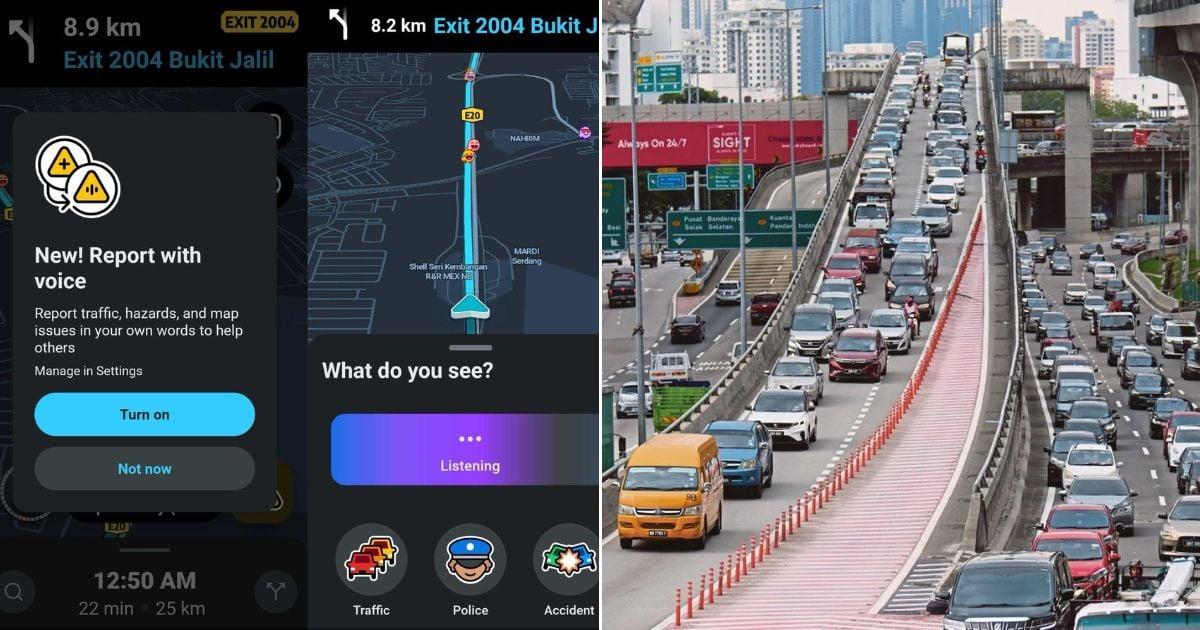 Cover image via
 Follow us on Instagram, TikTok, and WhatsApp for the latest stories and breaking news.
Waze is rolling out a new voice input feature in Malaysia, allowing drivers to report traffic incidents more safely and easily
The app is widely used by Malaysian drivers to navigate traffic congestion, unexpected roadblocks, and erratic gridlocks.
One of its key features is letting users report road incidents manually.
For years, this required tapping through various tiny icons on your smartphone screen while driving. Thankfully, the popular navigation app is finally making things a lot safer.
First introduced in select markets in 2024, the voice reporting feature is being released in Malaysia in stages, with a full rollout expected within one or two months.
Here's how to enable the Waze voice reporting feature
STEP 1: Open the Waze app and go to Settings
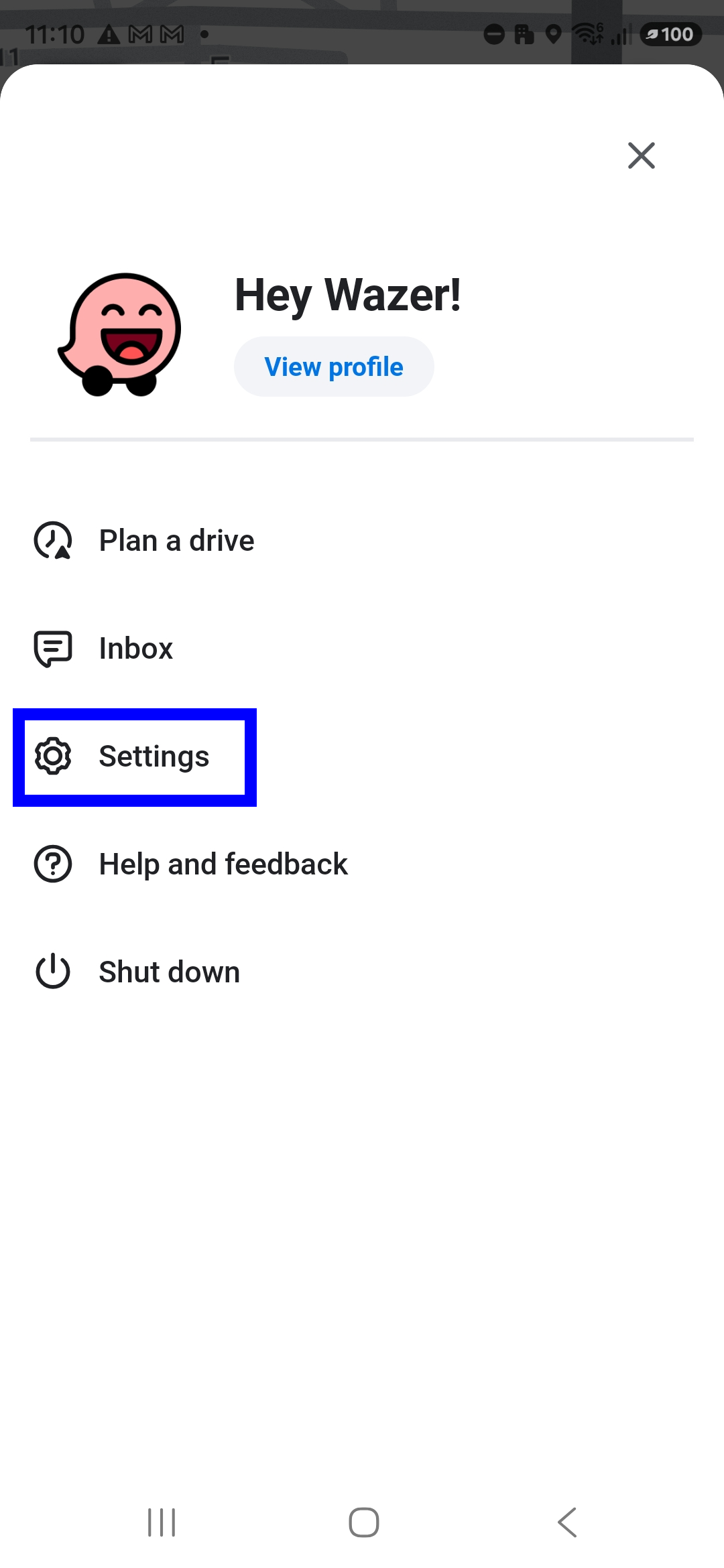
Settings can be found under the burger menu (the three lines) at the top right of the app.
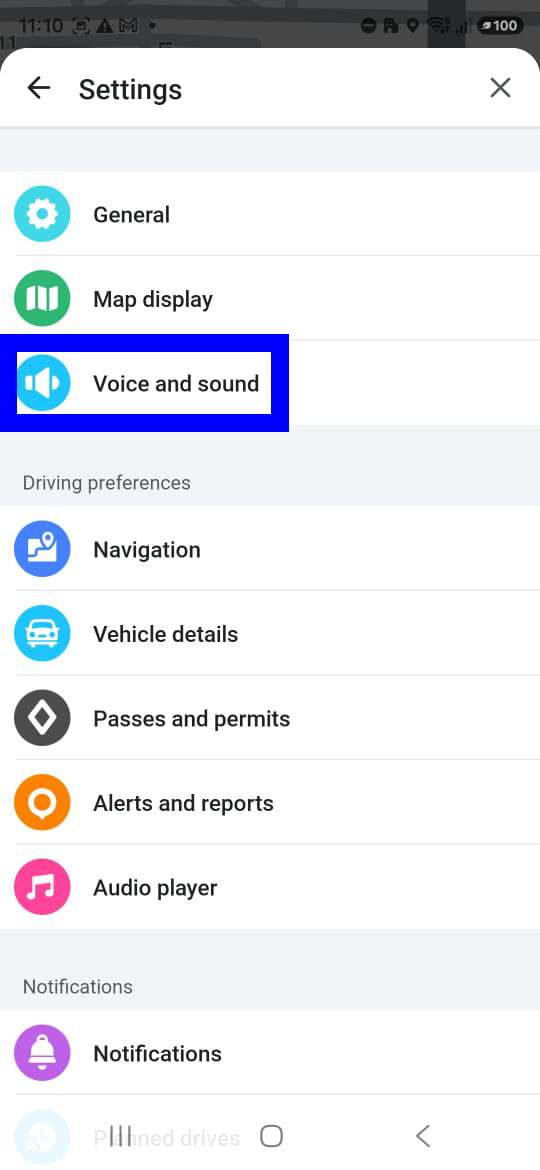
STEP 2: Tap on Voice and Sound
STEP 3: Enable the Voice reporting feature by toggling the slide to the right
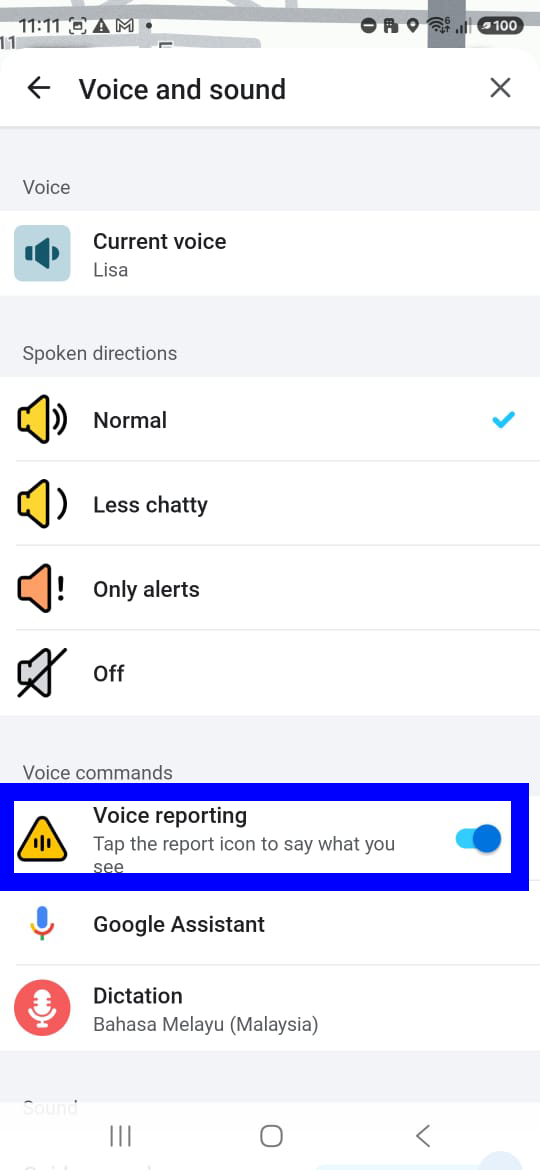
The app may request permission to use the microphone and record audio. Without this permission, the system cannot receive the user's voice input.
When making a report, users will need to press the yellow-coloured Talk to Report icon before speaking
Once the icon is pressed, users can describe what is happening.
Waze will then attempt to understand the sentence and generate a report to be displayed on the map.
If the description is too general, the system may also request additional information.
This feature is also supported on Android Auto and Apple CarPlay, depending on the device, vehicle, and feature availability.
However, Waze's official guide states that Talk to Report is not yet available on the Android Automotive OS.
