
What To Do If Your Voter Details Are Wrong In MySPR
Find out what to do if your voter details are wrong in MySPR or MySPR Semak, including address updates and Form A or Form C.


 Cover image via
 Follow us on Instagram, TikTok, and WhatsApp for the latest stories and breaking news.
If you recently checked your voting details on MySPR Semak and noticed an error, don't worry
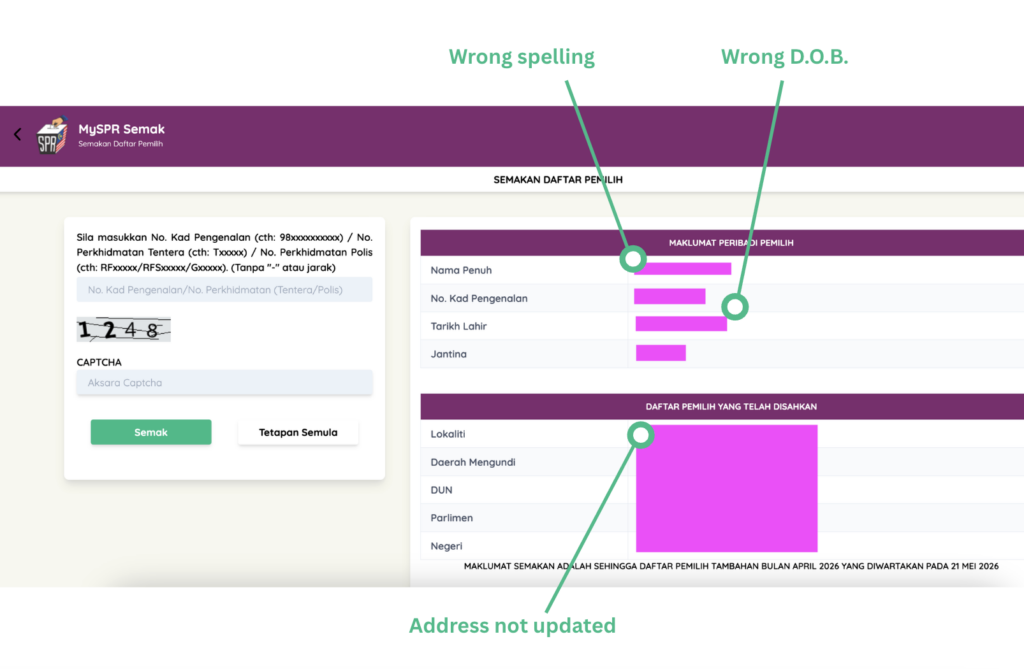
The first thing to do is identify whether the information needs to be updated or if there is an error in the Election Commission's (EC) records.
For most voters, the issue is usually something straightforward, such as an old address, outdated electoral division, or information that has not been updated yet.
Here are a few common scenarios:
| Problem | What to do |
|---|---|
| Your voting area follows an old address | Update your National Registration Department (JPN) address, then apply to change your electoral division through MySPR |
| Your electoral division has not changed yet | Check whether your Form A application is still being processed |
| Your personal details look wrong | Check with the EC or the relevant voter-registration channel |
| You only want to check your current voter record | Use MySPR Semak |
| The EC's newly published voter roll contains an error | Form C may apply during the relevant checking period |
1. If your voting area is still tied to an old address

If your voting area is outdated because you have moved, you will usually need to update your address and apply to change your electoral division.
The usual process is:
- Update the relevant address information with JPN
- Log in to MySPR
- Use Form A (Borang A)
- Select Electoral Division Change (Pertukaran Bahagian Pilihan Raya)
- Submit the application
- Check MySPR Semak later to see whether your new electoral division appears
The change is not immediate. It has to go through the EC's processing and voter-roll cycle before it appears in your updated voter information.
2. If your MySPR application is still pending

If you've already submitted a change request, your voter details may not update immediately.
A submitted Form A application does not mean your new voting area will appear straight away.
Your application may still be:
- Under review,
- Waiting for the Election Commission's processing
- Not yet reflected in the latest voter-roll update
ㅤ
In most cases, the update only appears after the next relevant voter roll is processed and published. This can take around one to two months, depending on when you submitted the application and where it falls within the Election Commission's voter-roll cycle.
3. If your personal details look wrong
If your name, identification details, or electoral information looks wrong, contact the EC or check the relevant voter-registration channel for the correct next step.
Here's a look at common issues and what you should do next:
| Issue | Likely next step |
|---|---|
| Old voting address | Update JPN address, then apply through MySPR using Form A |
| Change request not reflected yet | Wait for processing and check again |
| Personal or electoral details look incorrect | Check with the EC or the relevant voter-registration channel |
| Error appears in a newly published voter roll | Form C may apply during the checking period |
While Form A is used to update an address, Form C is used when there is a mistake in a newly published Supplementary Voter Roll
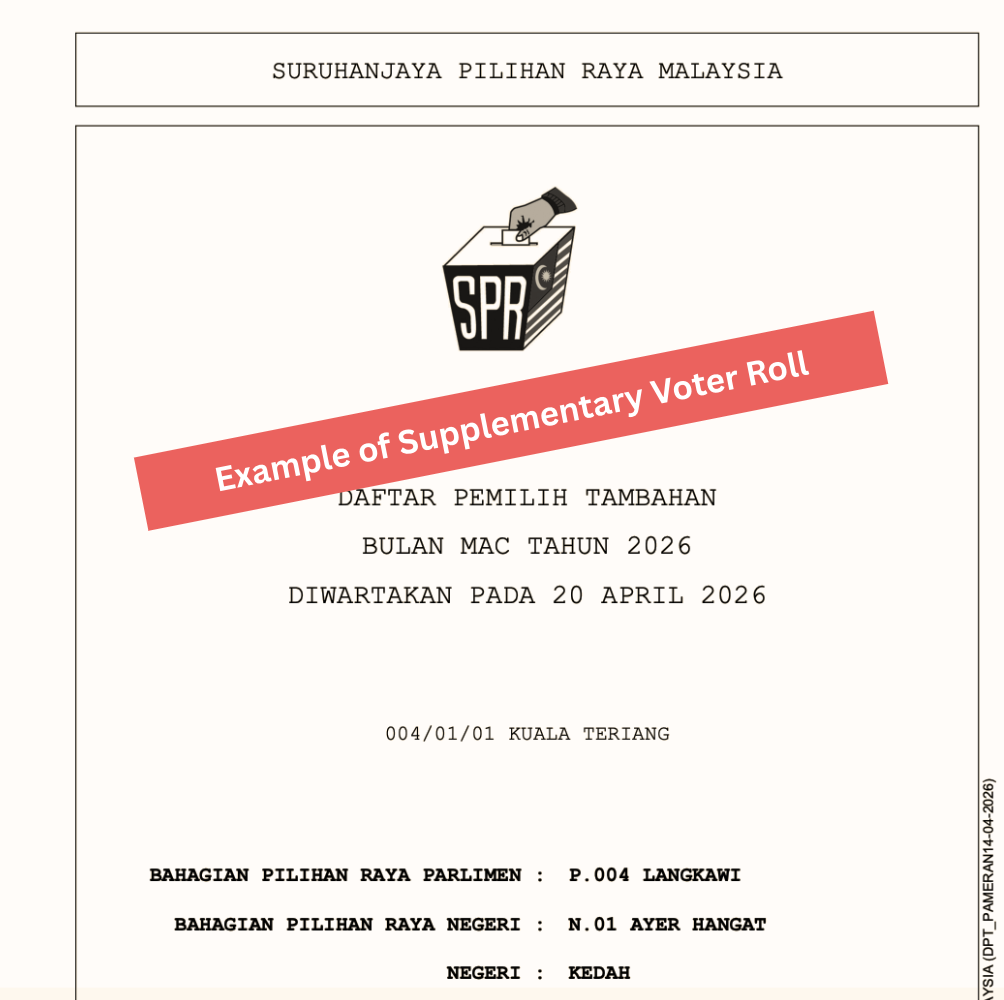
If the EC has published a Supplementary Voter Roll (Daftar Pemilih Tambahan) and the newly published information wrongly leaves out your name or shows incorrect details during the checking period, use Form C (Borang C) to notify the EC of the error.
This can be done on the MySPR website.
Other frequently asked questions:
Why is my voting area still showing my old address?
Your voting area may still follow your old address if your JPN address has not been updated or your electoral-division change has not been processed yet.
Can I fix wrong voter details through MySPR Semak?
No. MySPR Semak is for checking voter information only. To apply for changes, use MySPR or the relevant EC registration channel.
How do I know whether my voter details have been updated?
Check MySPR Semak again after your application has gone through the EC's processing and voter-roll cycle. If the updated electoral division appears there, the change has taken effect.
Should I fix wrong voter details before an election is announced?
Yes. Voter-detail updates and electoral-division changes are not immediate, so it is better to check and update your details well before election season.
Related election guides
- If I Change The Address On My IC, Will My Voting Constituency Change?
- How To Check Your Voter Status, Voting Place, And Constituency In Malaysia
- What Is MySPR Semak And How Do You Use It?
- How To Check Your Polling Station, Saluran, And Voting Details Online
ㅤ
Check your latest voter record through MySPR Semak.
Last updated: 18 June 2026
