
Malaysians Are Receiving ZIP & RAR Files From WhatsApp Contacts. Here’s What You Shouldn’t Do
Dozens of people have reportedly received unexpected attachments disguised as invoices or statements of account, with recipients instructed to open them on a computer.


 Cover image via SAYS
Follow us on Instagram, TikTok, and WhatsApp for the latest stories and breaking news.
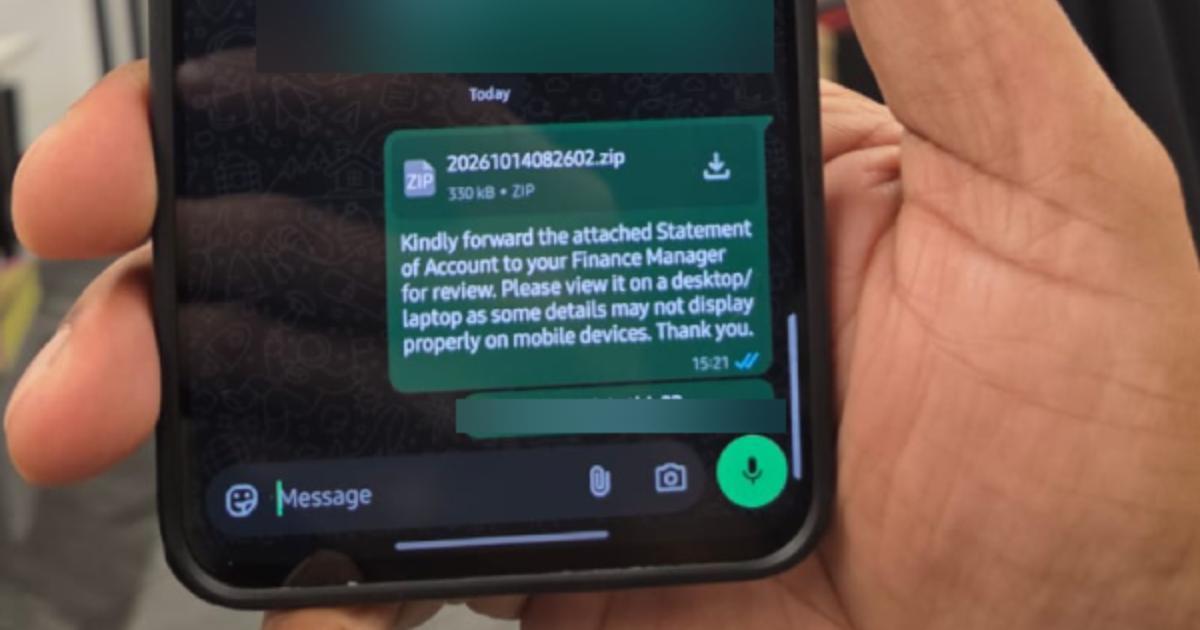
Dozens of people in Malaysia have reportedly received suspicious ZIP and RAR files through WhatsApp, with the attachments disguised as financial documents and sent with instructions to open them on a desktop or laptop
The messages are particularly concerning as they are being sent from existing contacts, including friends, colleagues, and business contacts, rather than unfamiliar numbers.
Similar reports have surfaced online in recent weeks, with The Star reporting on 29 September that Malaysians were receiving suspicious ZIP files masquerading as legitimate documents from trusted WhatsApp contacts.
The files may expose Windows computers to malware if recipients execute malicious programmes hidden inside them.
The suspicious messages have also prompted people to warn their friends and family against downloading unexpected attachments, particularly when they arrive without any explanation.
A WhatsApp user who received two such messages told SAYS that one came from her friend's mother, while the other came from her condominium management contact
Both messages contained ZIP attachments and nearly identical instructions asking recipients to forward a statement of account to their finance manager for review.
Parvati, 33, did not open either file. Instead, she contacted her friend after receiving the suspicious message from her friend's mother.
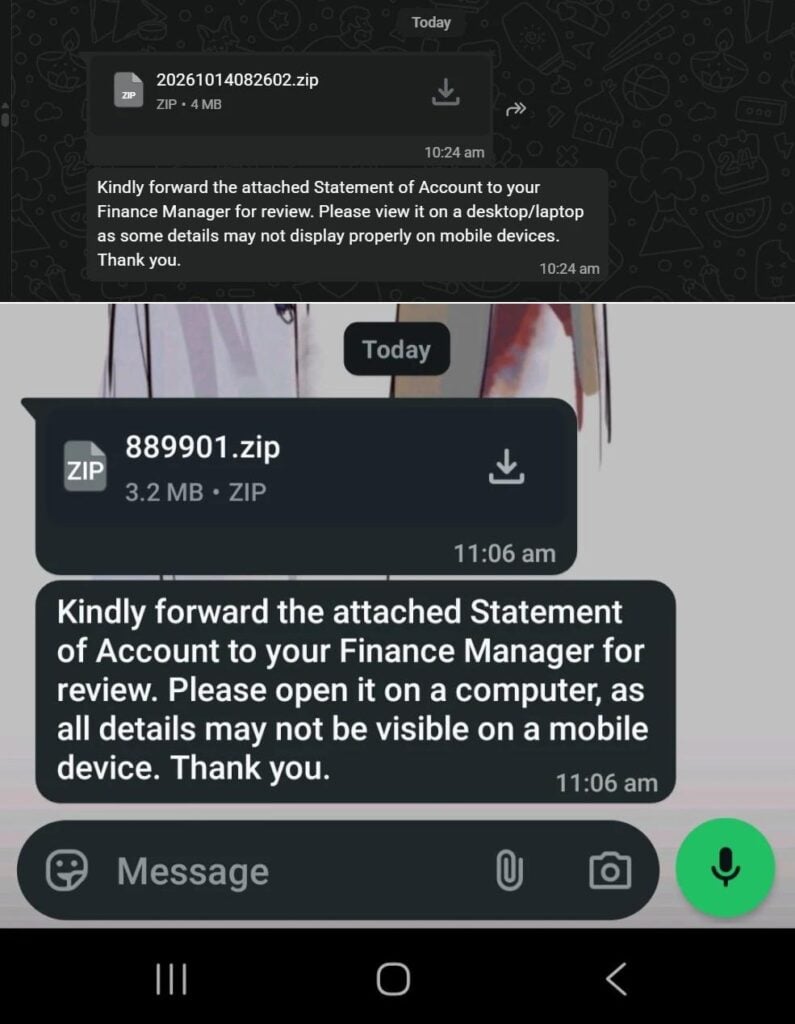
WhatsApp messages containing the malicious ZIP file received by Parvati.
Image via Provided to SAYSShe later learnt that her friend's mother had received a similar file from a colleague and downloaded it because the financial document appeared relevant to her work as an accountant.
After realising her WhatsApp account had been compromised, the woman contacted WhatsApp to regain access. She later sent a warning to her contacts, telling them not to click on anything they had received from her.
Parvati said she did not contact her condominium management because the chat was typically used for notifications rather than conversations.
She also warned her own mother against downloading unexpected attachments in case she received a similar message.
The messages use routine workplace language to make the attachments appear legitimate
One reads, "Kindly forward the attached Statement of Account to your Finance Manager for review. Please open it on a computer, as full details may not be visible on mobile. Thank you."
Others reported examples use similar wording, telling recipients to view the files on a desktop or laptop because some details supposedly cannot be displayed properly on mobile devices.
The instruction to use a computer is a notable warning sign.
In June, Malaysia's Computer Emergency Response Team (MyCERT) issued an alert about a malware campaign targeting WhatsApp Web and WhatsApp Desktop users on Windows computers.
The campaign used malicious Visual Basic Script files disguised as financial, legal, and administrative documents. When executed, the scripts could install remote-access software, potentially allowing attackers to control affected computers and access sensitive information.
Cybersecurity researchers at Kaspersky also documented the campaign, reporting that malicious attachments had been distributed through compromised WhatsApp accounts across multiple countries, including Malaysia.
What should you do if you receive one such file?
Do not open or extract an unexpected ZIP or RAR file simply because it was sent by someone you know.
Even if the message comes from someone you know, verify it with them through a phone call or another communication channel. Their WhatsApp account may have been compromised without their knowledge.
If you have already downloaded the file but have not opened or executed anything inside it, do not proceed.
If you have executed a suspicious file on your Windows computer, disconnect the device from the Internet and contact your organisation's IT or cybersecurity team, if applicable. Use a separate, trusted device to seek help securing your accounts and changing potentially exposed passwords.
MyCERT also advised affected users to report suspicious messages and provide relevant screenshots and timestamps when making a report.
The key takeaway is simple: an attachment is not safe just because it comes from a familiar WhatsApp contact. When an unexpected message asks you to open a compressed financial document on your computer, verify it before doing anything else.
